
Direct, on-page, download links to free-to-use Microsoft Word Resume Templates. Freely editable, useable for, you, the jobseeker!
Download and start editing!
Microsoft Word Resume Templates Download Best 12
Functional Format
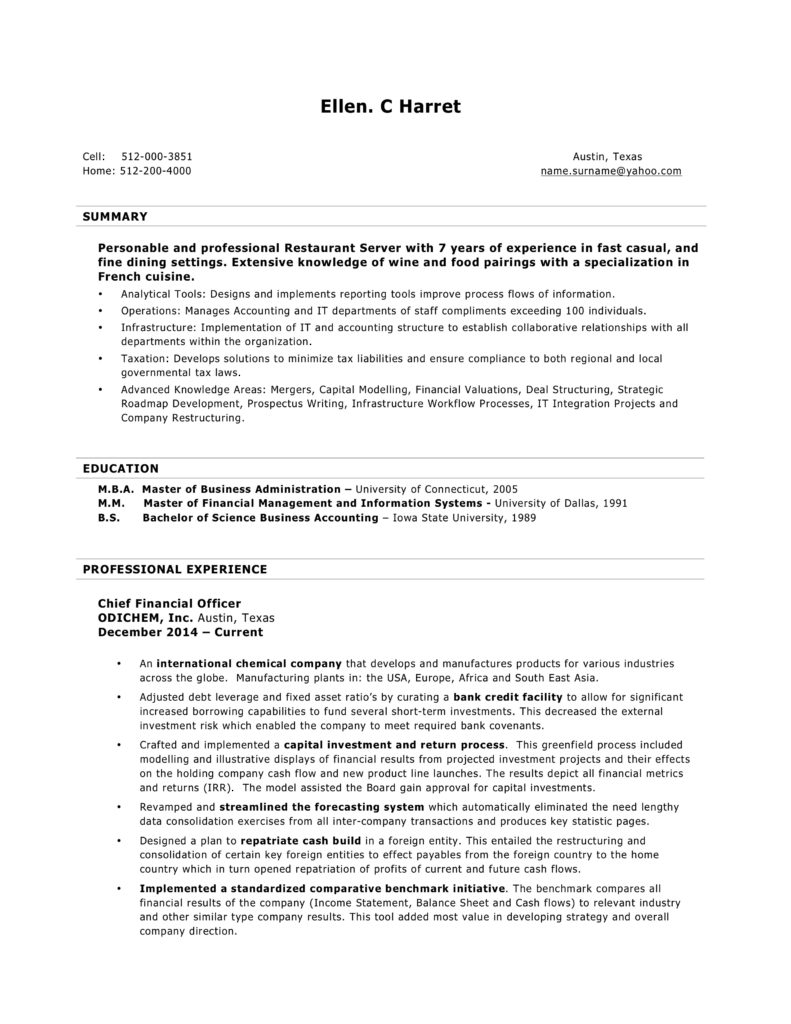
The minimal styling keeps its focus on the content. A great fit for job candidates targeting experienced (management), and specialized (technicians) jobs.
- All Word versions
- Functional (Executive) format.docx
Chronological Format
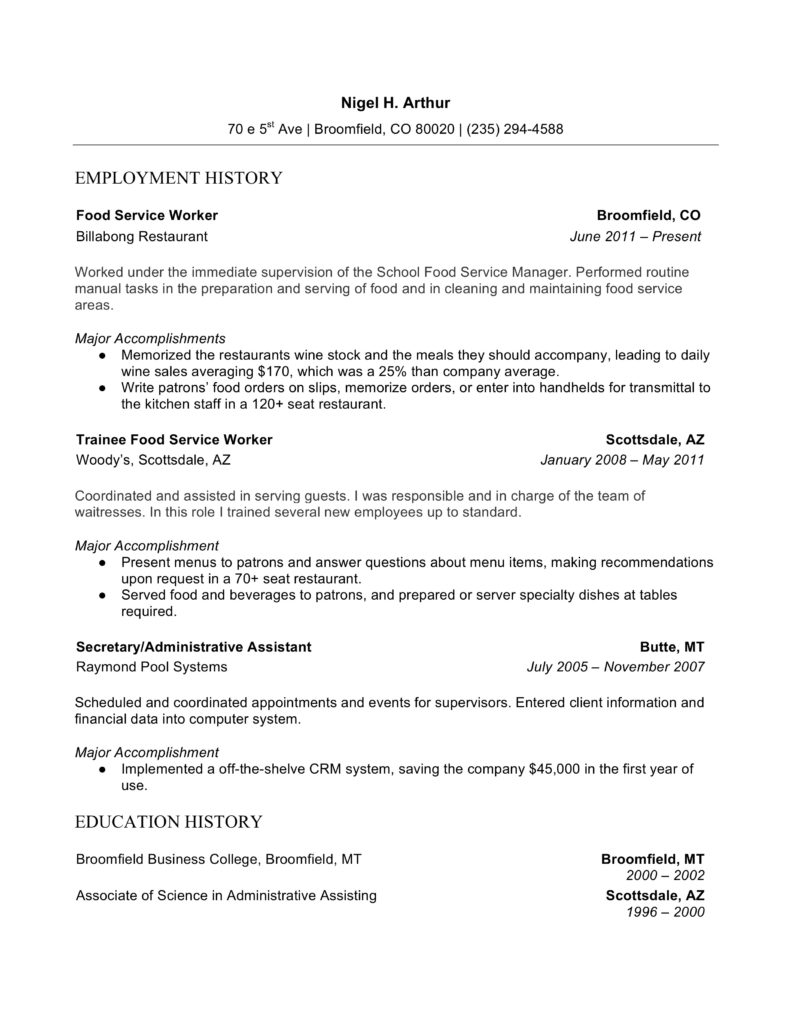
Impressive and professional resume design. A clean and effective template. Readers can quickly scan and identify its sections. A safe and sound choice for any job and career stage.
- All Word versions
- Chronological format.docx
Chronological Format
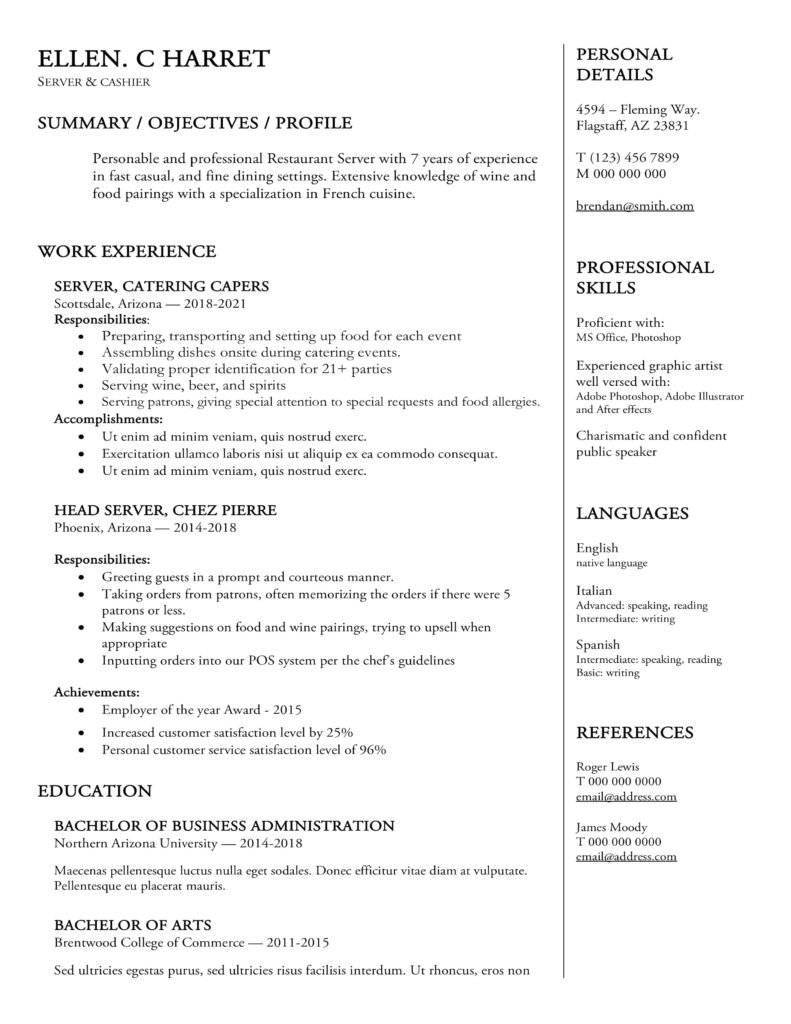
Impressive and professional resume design. A clean and effective template. Readers can quickly scan and identify its sections. A safe and sound choice for any job and career stage.
- All Word versions
- Chronological format.docx
(commercial use is not allowed) and will be legally prosecuted
Purple & Pink
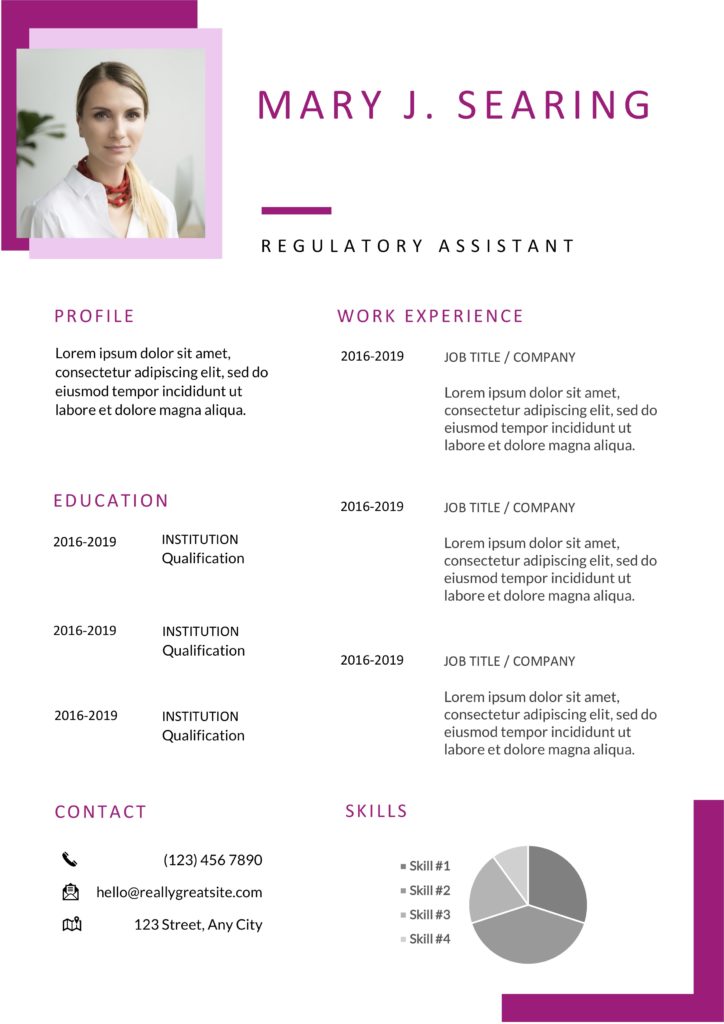
A clean and modern resume design that allows you to customize all of its elements. Even the colors!
- Best for Word 2018+
- ResumeViking 26.docx
Green & Green
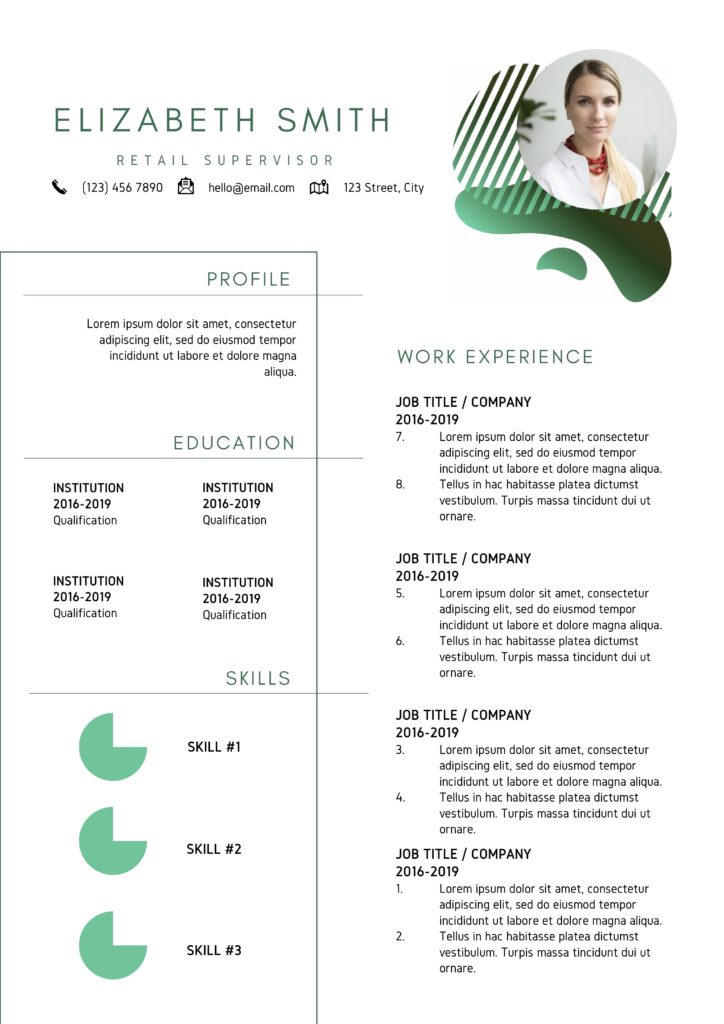
Impressive but subtle green resume design to show are your essentials. A resume for starters and mid-career workers.
- Best for Word 2018+
- ResumeViking 22.docx
Georgia Fleck
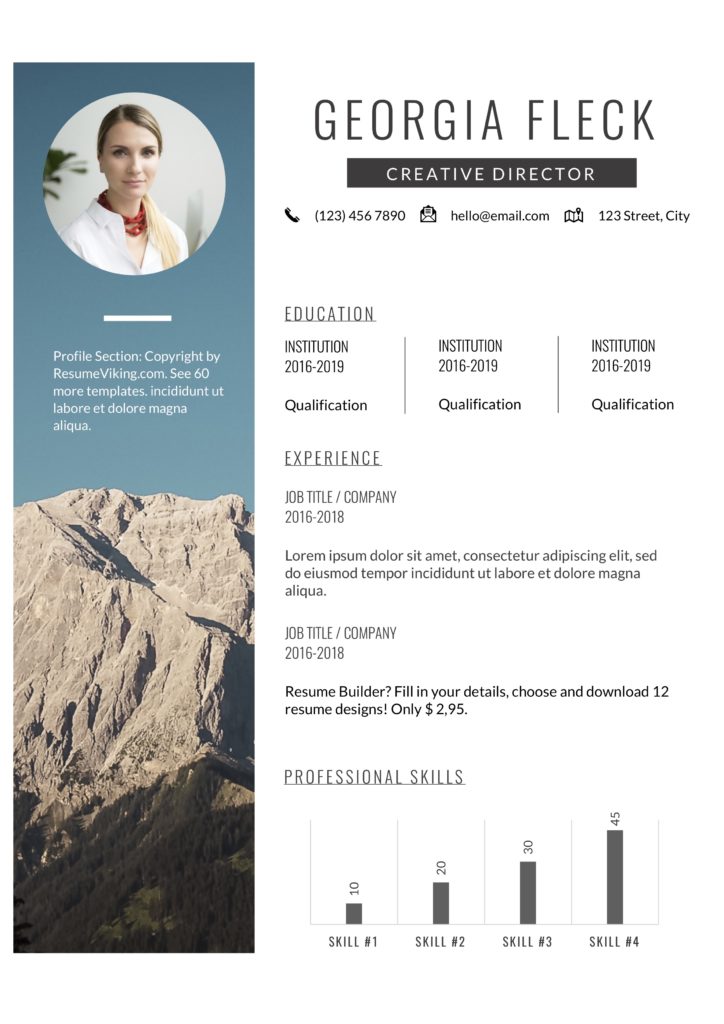
Basic, minimal design with the option of adding a photo to your resume. Personal use only.
- Best for Word 2018+
- ResumeViking 21.docx
Professional Word Resumes Templates
The free resume templates made in Word are easily adjustable to your needs and personal situation.
Modern Word Resumes Templates
John Smith
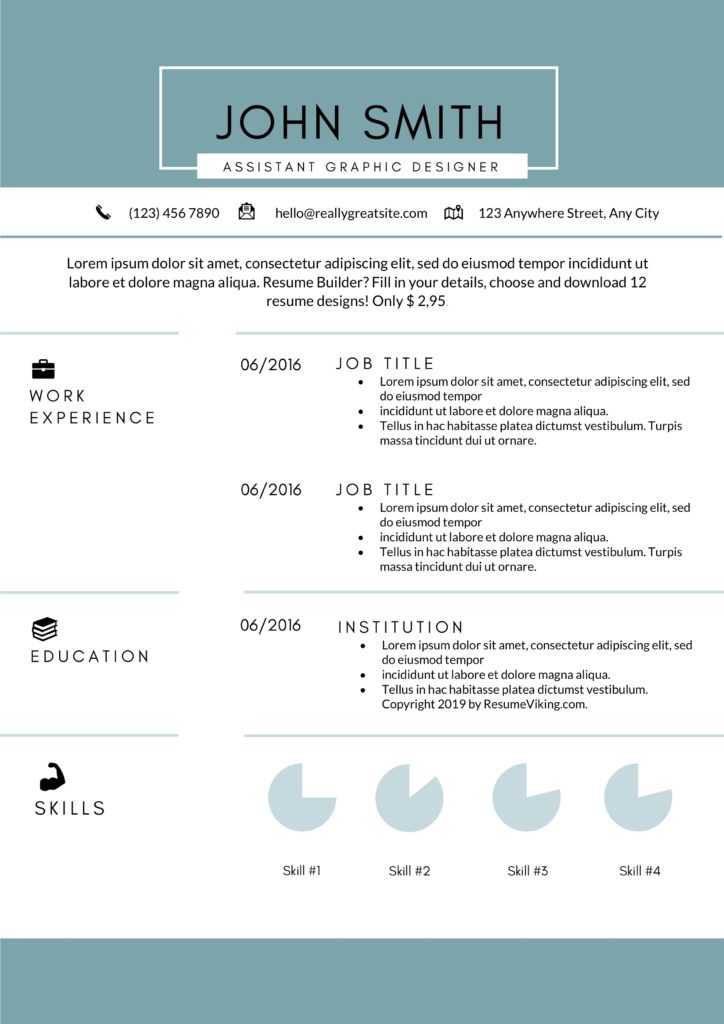
A peculiar type of green design. This resume lets you create a one and two-page pager with all your essential data.
- ResumeViking 1.docx
Andrea Rowland
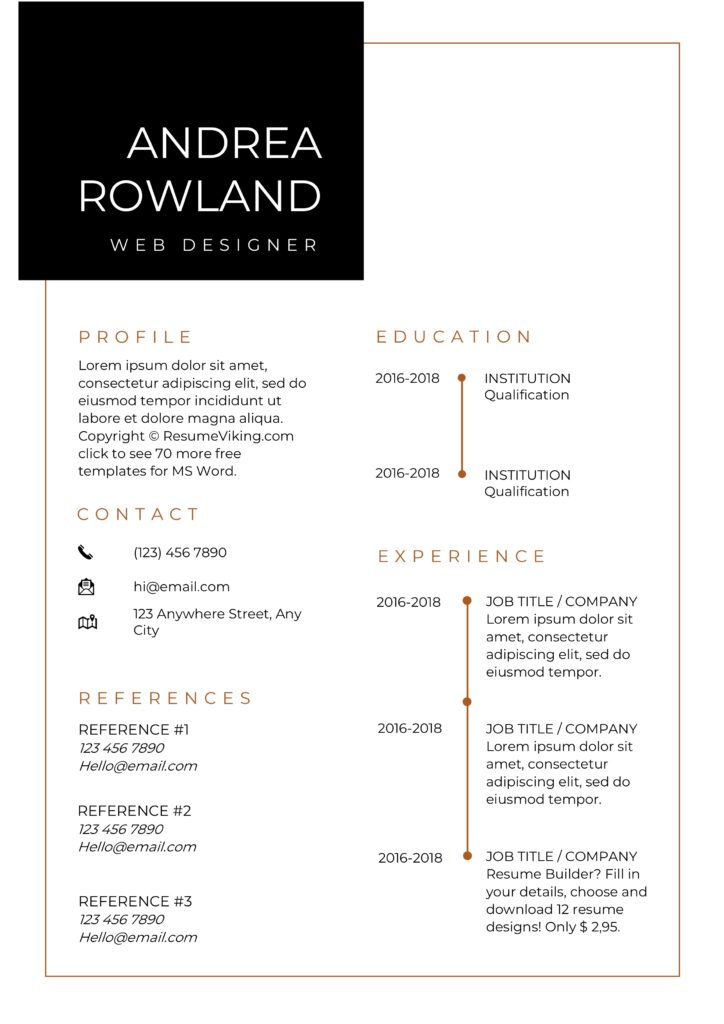
Basic, minimal design with the option of adding a photo to your resume. Personal use only.
- ResumeViking 18.docx
Charlotte Anderson
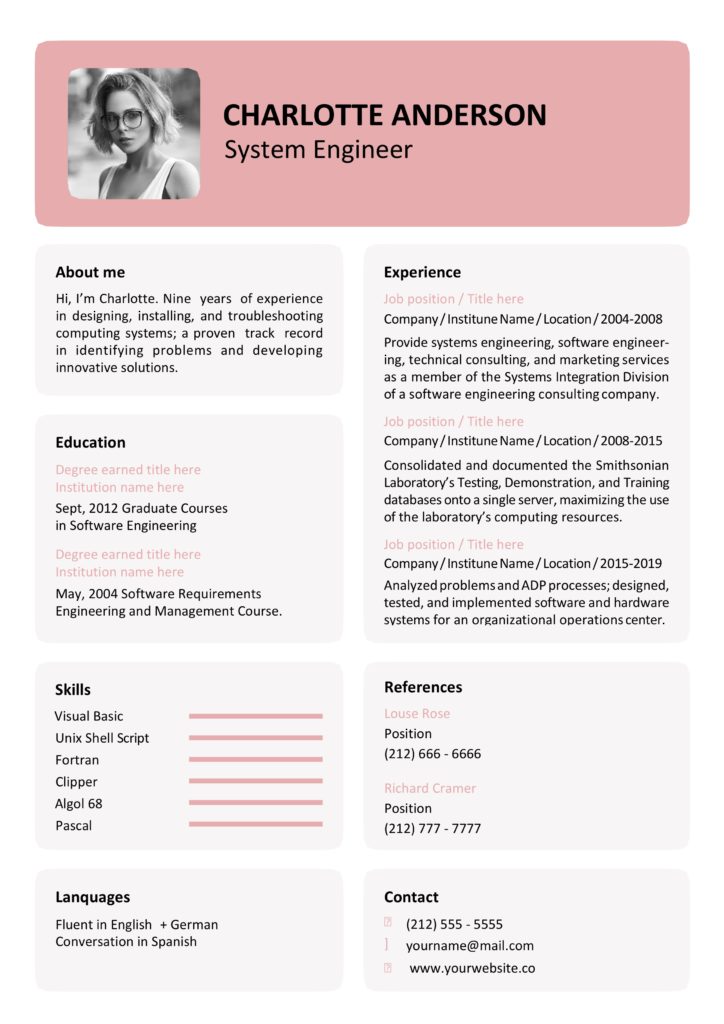
Your Rose Resume design, complimentary with cover letter and business card. Personal use only.
- Rose Resusme.docx
Sales and design resume
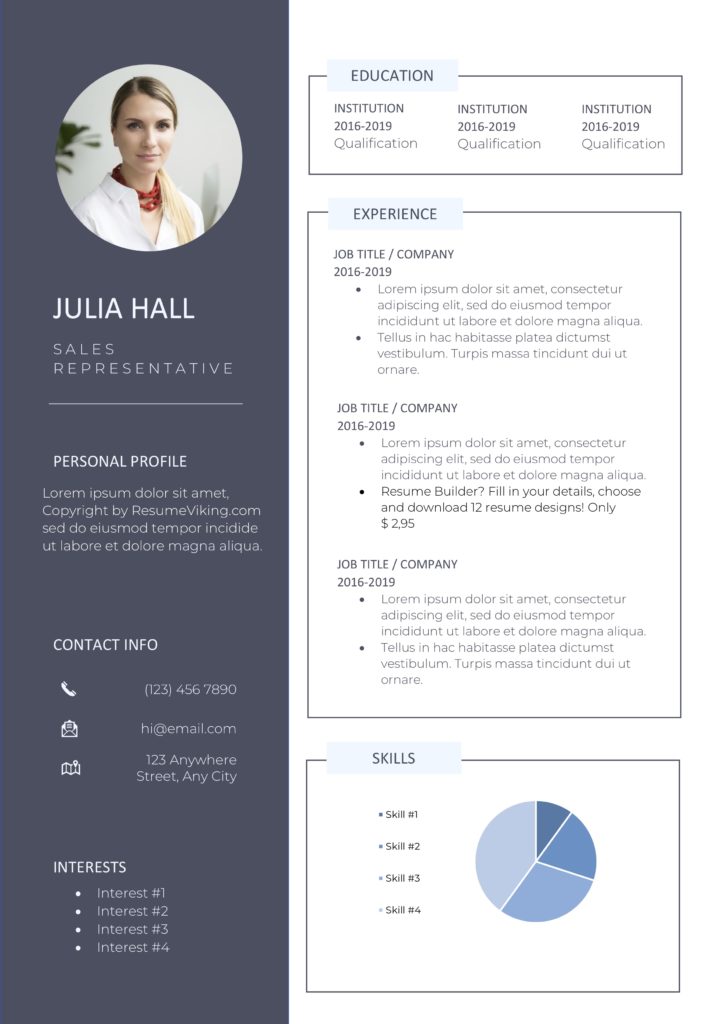
A sales resume? A designer resume? This template you can use in many industries. Personal use only.
- Experience format
- Chronological
- ResumeViking 10.docx
Connor Green
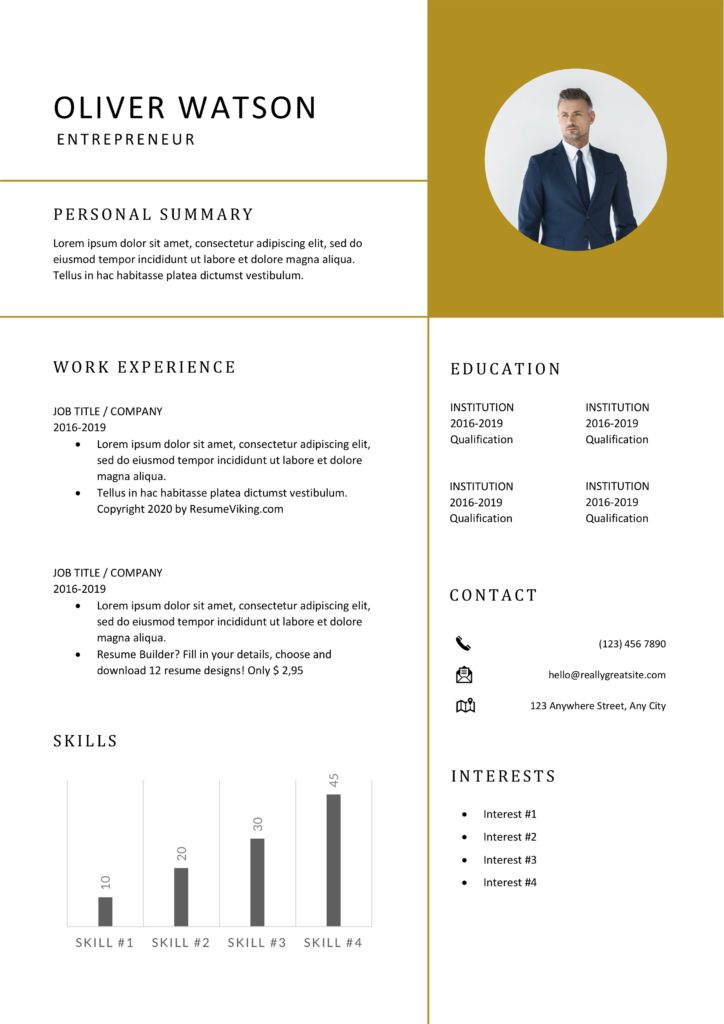
Modern resume design. Visualizing your track record or the charts out. It’s up to you. Personal use only.
- Experience format
- Chronological
- ResumeViking 8.docx
Charlotte Webb
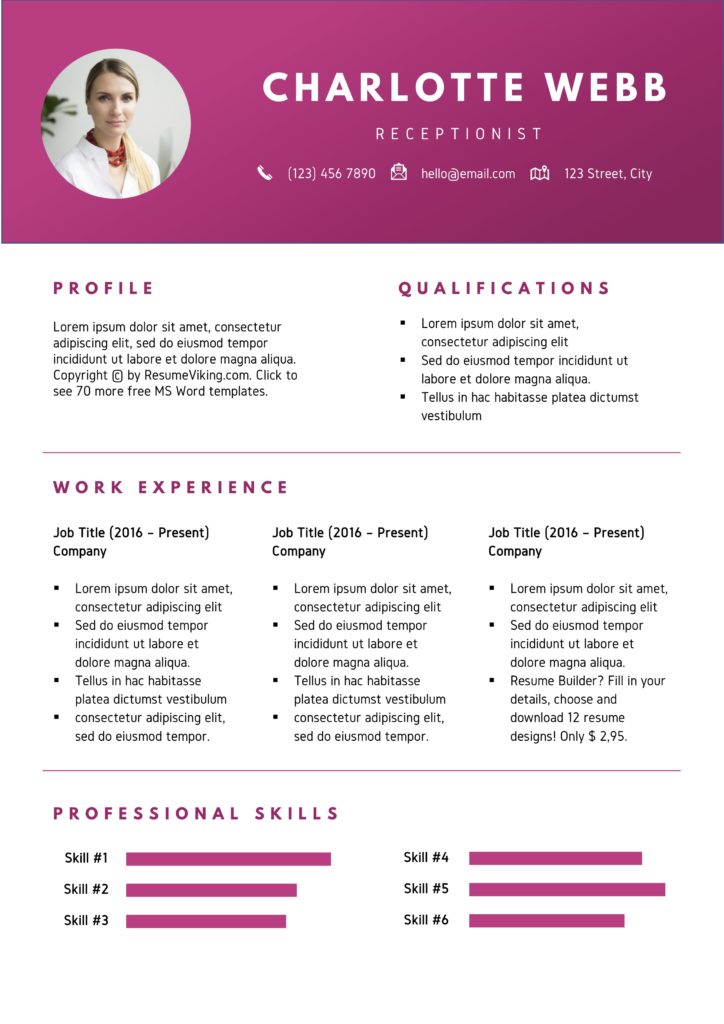
Basic, minimal design with the option of adding a photo to your resume. Personal use only.
- Experience format
- Chronological
- ResumeViking 17.docx
Creative Word Resume Templates
In this word there are many wonderful things. So are our free creative resume’s. Only for personal use.
Therapist

Basic, minimal design with the option of adding a photo to your resume. Personal use only.
- Experience format
- Chronological
- ResumeViking 5.docx
Sunset

Basic, minimal design with the option of adding a photo to your resume. Personal use only.
- ResumeViking 3.docx
Spring
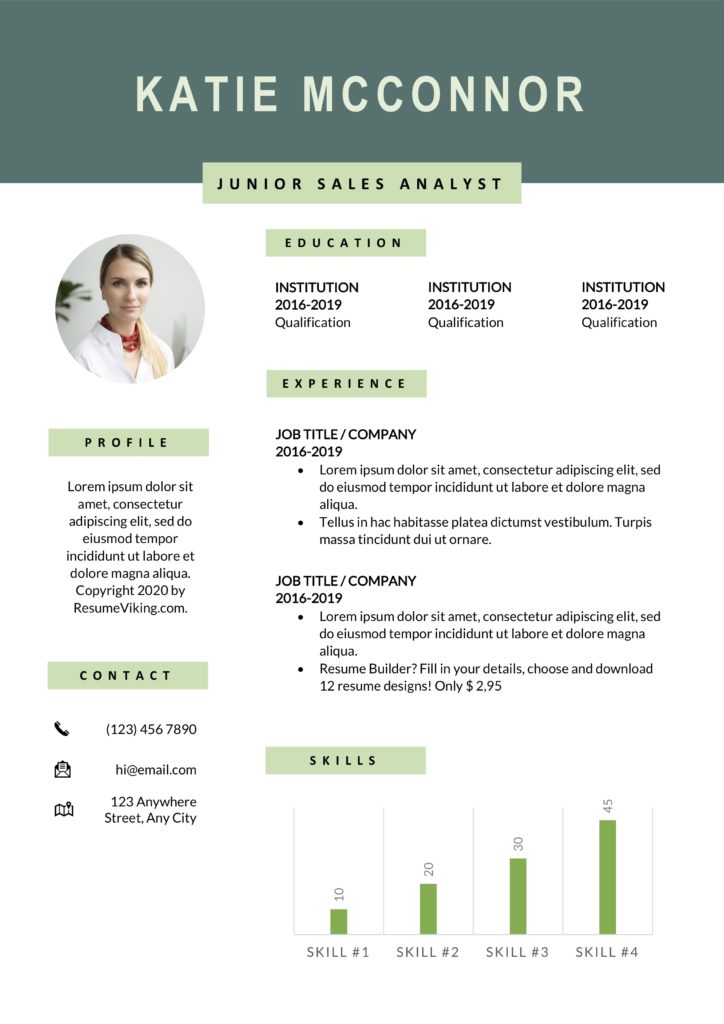
Tight green, modern resume design with the option of adding your photo. Personal use only.
- ResumeViking 9.docx
Moss

Basic, minimal design with the option of adding a photo to your resume. Personal use only.
- ResumeViking 19.docx
More Resume’s!
Andrew Furness
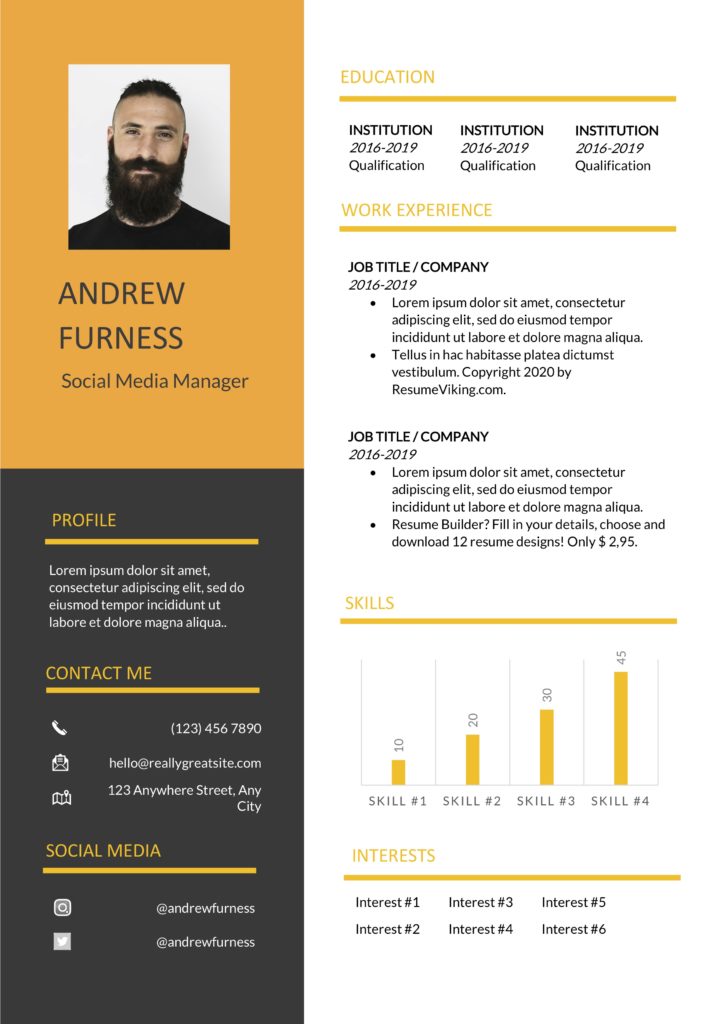
Basic, minimal design with the option of a photo. Keep it black and orange or change it all up. For personal use only.
- Experience format
- Chronological
- ResumeViking 6.docx
Orange Resume
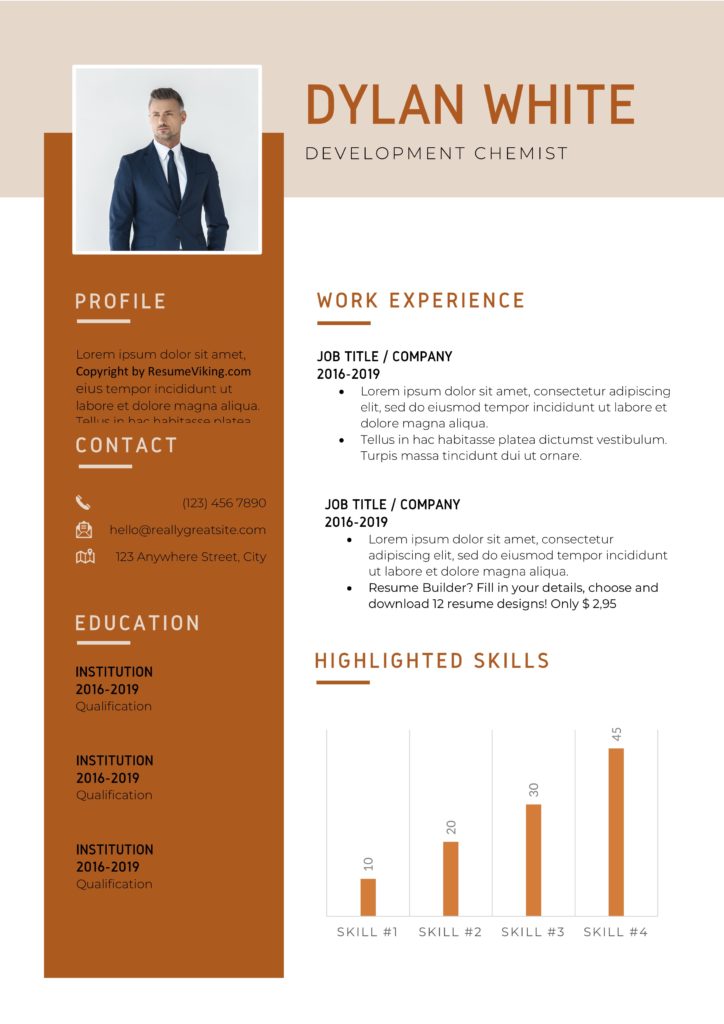
Orange Resume with graphs and a photo option. Edit all details to your personal situation. Personal use only.
- Experience format
- Chronological
- ResumeViking 12.docx
Yellow Resume
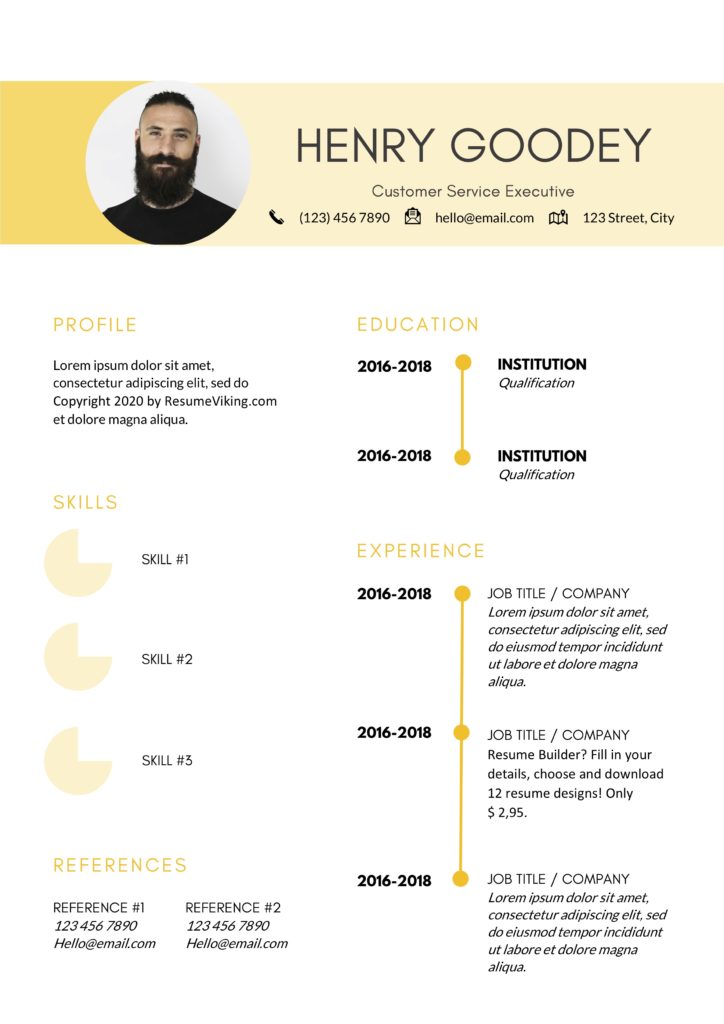
A yellow resume with a timeline design and graphic pies. Download and edit freely. Personal use only.
- Experience format
- Chronological
- ResumeViking 11.docx
Golden Brown Resume
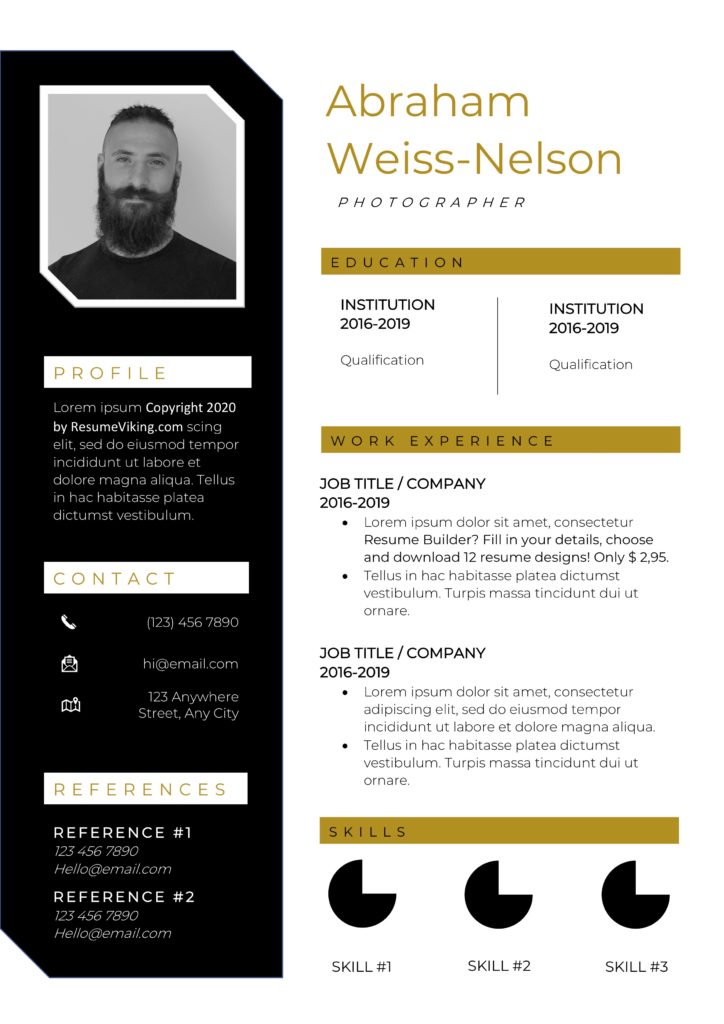
Golden Brown and Dark. Personal use only.
- Experience format
- Chronological
- ResumeViking 13.docx
Venice Beach
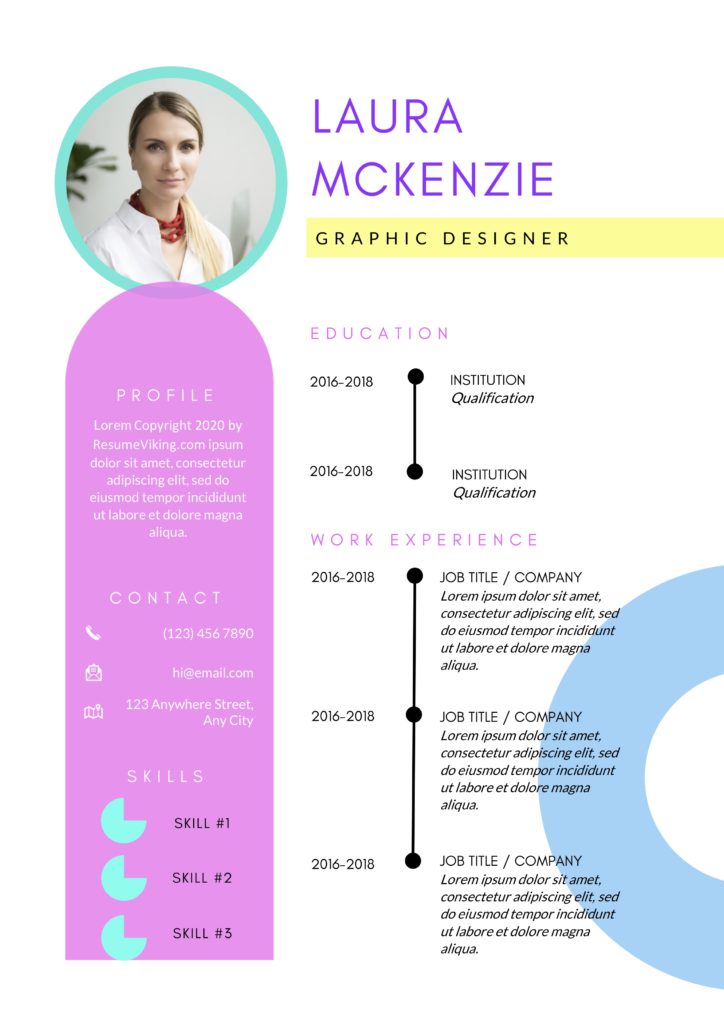
Happy, retro, feminine, and vintage resume template. It’s a description that doesn’t do justice it’s the design. Personal use only.
- Experience format
- Chronological
- ResumeViking 14.docx
Thomas Earland

Basic, minimal design with the option of adding a photo to your resume. Personal use only.
- Experience format
- Chronological
- ResumeViking 16.docx
You can make your resume easier!
Getting tired of Microsoft Word, and it’s design formatting? Use the resume tool, which is the ideal help to spin out 18 different resume designs with a one-click download. Edit at any time. Perfectly scalable. Downloads in Word & PDF.
One Week access is only $2.95(!)
Oh, and it includes cover letters too!
|
Submit your review |
|
| Name: | |
| Email: | |
| Rating: |
1 2 3 4 5 |
| Review: | |
| Check this box to confirm you are human. | |
|
Submit
Cancel |
Free Word Resume Templates by ResumeViking.com
Average rating:
45 reviews
Apr 3, 2023
by Marvella
The template was beautiful and was everything I wanted, but it was a complete nightmare to make even the slightest change in MSFT Word. I couldn’t get rid of the generic picture in the template without altering key components of the resume. I’m about to bite the bullet and pay $24 for a resume I pre made because that was much easier than dealing with these templates.
Mar 10, 2023
by Kellyv Vugt
word docs without ads. perfect
Mar 3, 2023
by Gael Breton
Super
Feb 1, 2023
by Tanya Lotus
You are such amaizing souls! Merci
Jan 25, 2023
by Ale
My word is from 2013 and not always work well
Jan 21, 2023
by Melissa Grenados
Thanks you so much!!
Jan 11, 2023
by Alfred Peacock
Increible! Graci!
Dec 13, 2022
by mahmoud alnajjar
thank you very much
Nov 23, 2022
by Ali Baba
very good
Aug 25, 2022
by Dinith Sithunaash
Easy to download. Interested in your templates. Thank you.
No matter what industry you work in (or your experience level in that industry), a plain, black-and-white resume written in Times New Roman font just doesn’t quite cut it anymore.
But just because resumes have gotten more creative doesn’t mean you need special design software to make your application stand out. On the contrary, writing your resume in good old Microsoft Word is still the perfect way to develop your personal brand, while also communicating your experience and career goals.
![→ Download Now: 12 Resume Templates [Free Download]](https://no-cache.hubspot.com/cta/default/53/4ec95757-585e-40cf-9189-6b3885074e98.png)
Read on to find the perfect template for your next resume, then learn how to create your own in Microsoft Word.
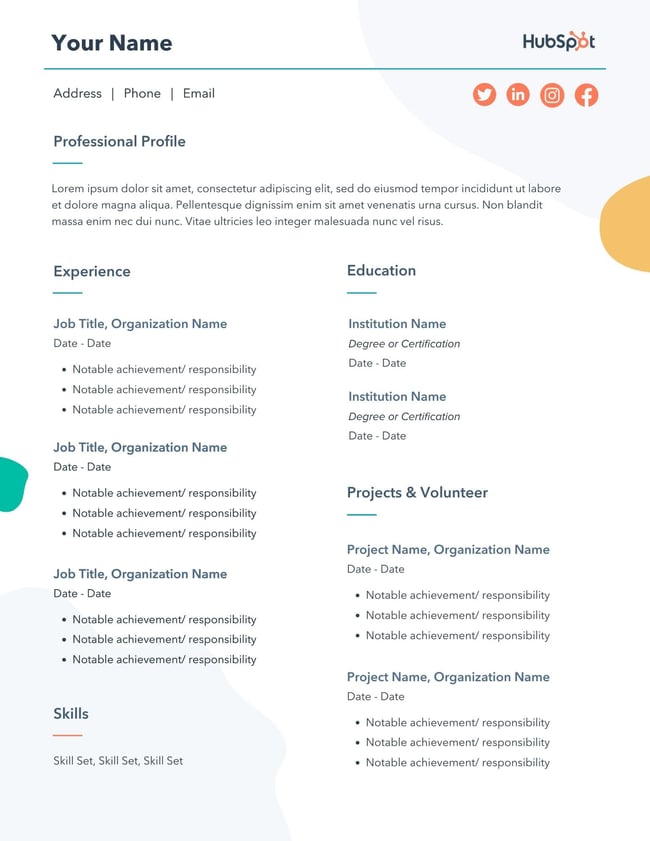
Download 12 free, editable resume templates.
Free Resume Template Downloads for Word
1. Monogram Header Resume Template
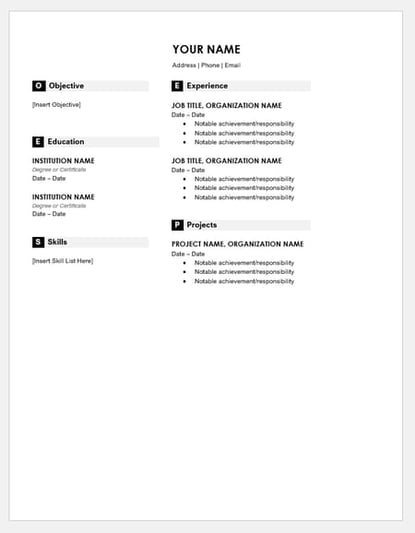
Download this template here.
We’ll start with a simple one. This is a HubSpot exclusive resume template that is simple and clean with attractive monogrammed headers to call out each section of the resume. The rest of the design relies on a simple serif font for easy reading, which is a good thing considering that hiring managers only take 7.4 seconds to evaluate a resume. You want your experience section to be easily scannable.
Recommended For: Freelancers
This resume template is best for freelancers. The project section is great for showcasing the skills that would be most applicable for the industry the applicant wants to enter.
2. Maroon Sidebar Resume Template
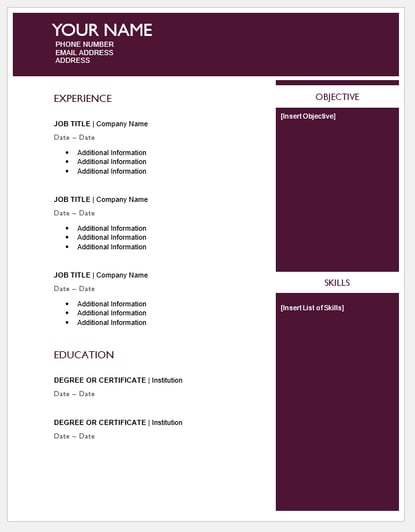
Download this template here.
Pulling your more text-heavy information off to the side in an attractive color-blocked sidebar, this resume lets your experience stand for itself in white space at the top. It’s also easily customizable with no difficult-to-manipulate tables or formatting. The sidebars are in movable text boxes that can even be removed if you wish.
Recommended For: College Graduates
This template is best for young professionals starting their career. This adjustable resume template can give you full customization options for your first resume.
3. Centered Bar Resume Template
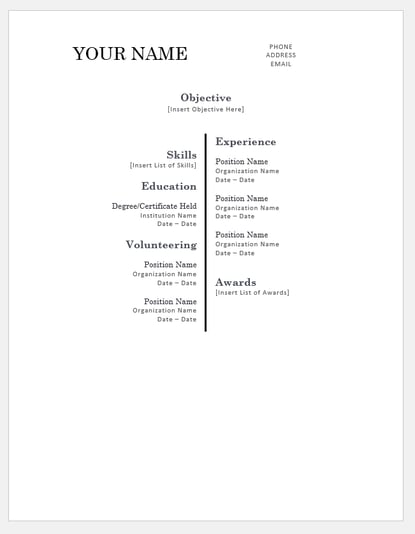
Download this template here.
This resume takes on a different look than most resumes, centered around a single bar. This makes the resume more visually striking, which could draw attention as hiring managers are evaluating candidates. It also puts emphasis on the objective with your chronological experience supporting it underneath. All of this is in an attractive serif font that is elegant and classy.
Recommended For: College Graduates
This template is great for college graduates to demonstrate their most recent accomplishments. The «Objective» section will help you showcase where you are trying to go in your career.
4. Bold Serif Resume Template
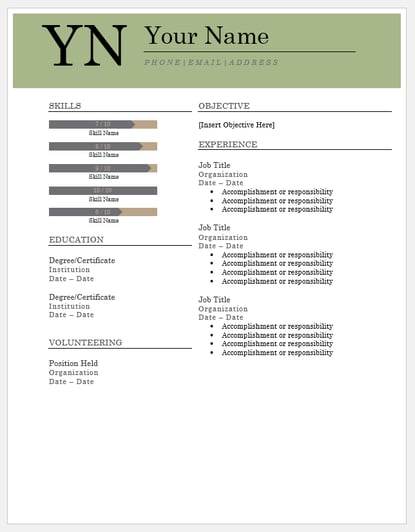
Download this template here.
Speaking of serif font, this resume puts forward an element of grace and formality with its font choices. It’s perfect for individuals who are looking for more organic color than the ones more typically found in resumes, and the colors are also easily changed in Microsoft Word’s theme settings. It also includes a skill-level bar, adding a nice visual touch to the template.
Recommended For: College Students
This template is great for college students to demonstrate their internship experience. The volunteering section gives a rounded viewpoint of your accomplishments if you are just leaving college.
5. Modern Chronological Resume Template
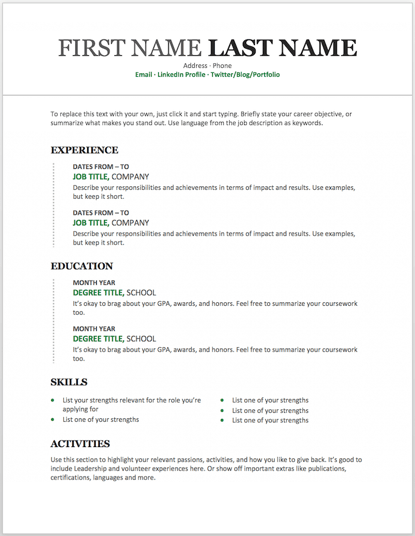
Download this template here.
This resume template is available from Microsoft itself, and it’s one of many free templates the company has prepared for those who depend on Microsoft Office tools to create content. Yes, it is written in Times New Roman — don’t freak out.
Designs like this can borrow an old-school typeface and still impress recruiters with a clean layout and subtle use of color. You can also change the font if you wish (and the same goes for every template in our list).
Recommended For: Developers
The «Skills» section is perfect for candidates in the tech industry. A candidate can showcase the languages they are fluent in and show a variety of accomplishments, successfully demonstrating their capabilities as they move into a new industry.
6. Digital Marketing Resume Template
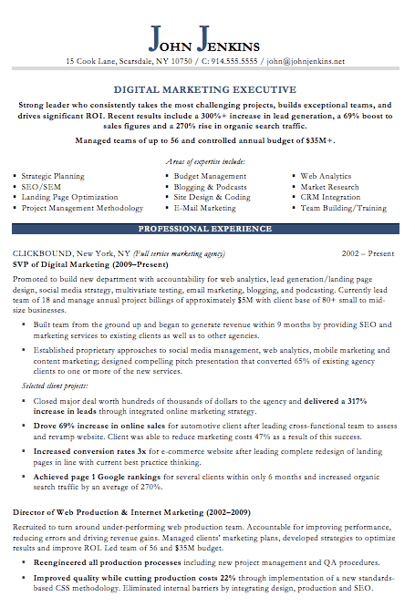
Download this template here.
The digital marketing resume below comes from our own collection of resume templates, all of which open directly in MS Word.
Coming with two pages total, this sheet holds a wealth of information and offers the perfect amount of style while maintaining professionalism. Mid-level marketers all the way up to CMOs can find this template valuable.
Recommended For: Mid-Level Marketers
In this resume template, mid-level marketers can effectively showcase a variety of their skills, as well as their portfolio and other media pieces.
7. Black and White Resume Template
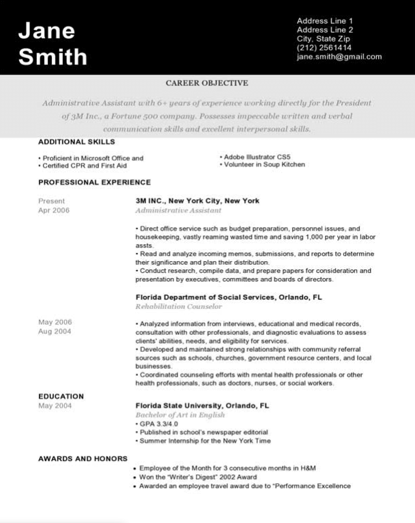
Download this template here.
The Black and White resume template below suits professionals who prefer using color and shading to add structure to their resume.
The black banner at the top contrasts the applicant’s name nicely to help make him/her more memorable to recruiters. The gray banner just below the header is perfect for a summary or career objective — it makes one’s goals known but doesn’t overpower the experience listed below it.
Recommended For: Graphic Designers
If you’re a graphic designer, this is the resume to showcase your art. This template has a monochromatic color scheme, but if you are a designer, you can easily take it to the next level.
8. Urban Development Resume Template
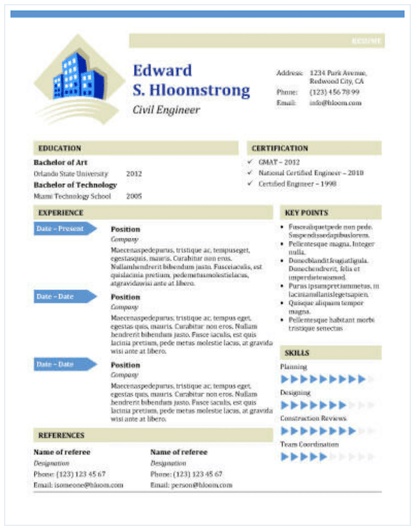
Download this template here.
The illustration on the top-left of this template shows who the designers at Hloom had in mind for this resume: civil engineers. But because it’s a Word document, that graphic is easy to edit and replace with an image that represents your line of work. Are you an analytics buff? Design a clever bar or line graph icon and place it next to your name in blue (or whatever color you’d like!).
Recommended for: Civil Engineers
If you’re a civil engineer who wants to display your accomplishments, this is the template to use! There’s a section that lets you list all of your achievements and notable opportunities that made you grow as a civil engineer.
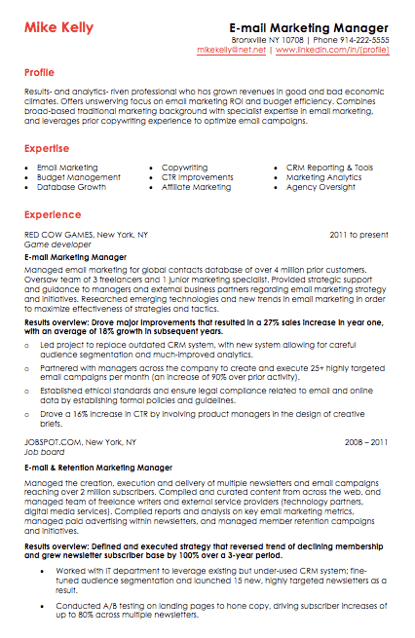
9. Email Marketing Resume Template
Download this template here.
Red color never fails to stick out on a sheet of paper, especially if it’s included in small amounts. The resume template for email marketers, below, captures that balance.
In addition to the professional title in the top right-hand corner, this template also stands out with a thin sans-serif font, helping make a lot of text easier for a recruiter to digest and read through.
Recommended for: Email Marketers
If you are an email marketer who wants to highlight successes in your previous campaigns without boring the viewer with the details, this resume template is perfect for displaying bite-sized information.
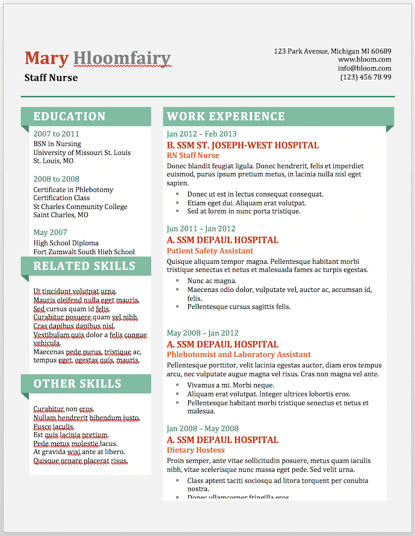
10. Info Pop Resume Template
Download this template here.
This one, also from Hloom, gives you exactly what the name suggests: ample space for the info you need, with headers that pop just enough to get your employer’s attention.
Although the template fits a ton of text, its soft color palate prevents the document from seeming overwhelming.
Recommended For: Experienced Professionals
This resume gives a lot of information all at once, which is perfect for professionals with more than eight years of experience. The layout makes it easily scannable and easy for a recruiter to read.
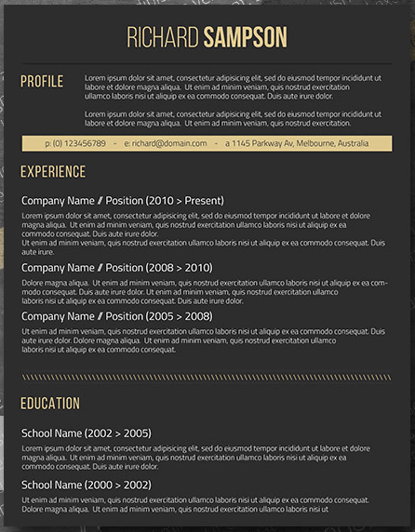
11. Dark Resume Template
Download this template here.
Ironically, a dark background could be just the thing to ensure your resume doesn’t fall into the black hole of resumes piled on the hiring manager’s desk.
Using soft, yellow font, the resume template below inverts the usual color scheme of a resume without trying too hard to be creative.
Recommended For: C-Suite Executives
If you have years of experience in an executive position, this design has a bold and unique design that will separate you from the pack. What’s more, it has an area where you can list your achievements, relevant skills, and notable opportunities, allowing you to showcase your effectiveness as a leader.
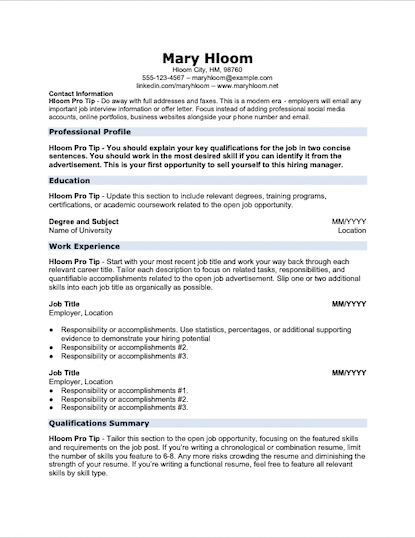
12. Skilled Resume Template
Download this template here.
This resume design by Hloom communicates a truly professional tone. The template’s muted colors work very well with its clean layout.
Recommended For: Professionals in All Industries
Whether you’re just starting out in any industry or looking to change careers, this template is suitable to highlight your skills and qualifications to propel you to the next level.
13. Inbound Marketing Resume Template
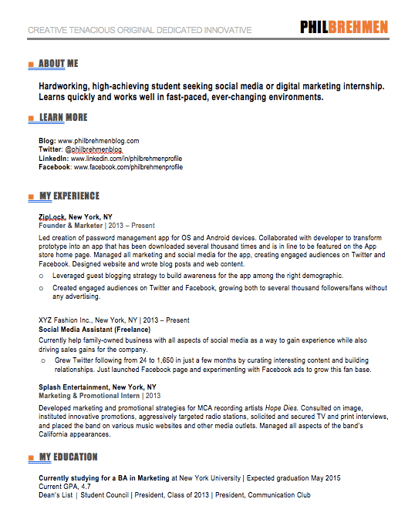
Download this template here.
Here’s another resume template dedicated to the digital marketer. This sheet offers all the inbound marketing language you need to express your values as a passionate, brand-loyal professional.
Similar to a few other templates on this list, it also uses just a dash of vibrant color in the applicant’s name at the top (where it matters most).
Recommended For: Communications and Marketing Candidates
This template is great for candidates moving into a communications or marketing role. Aside from its amazing visual appeal, this template creates a sense of connection with the reviewer by adding a personal touch.
14. Smart and Professional Resume Template
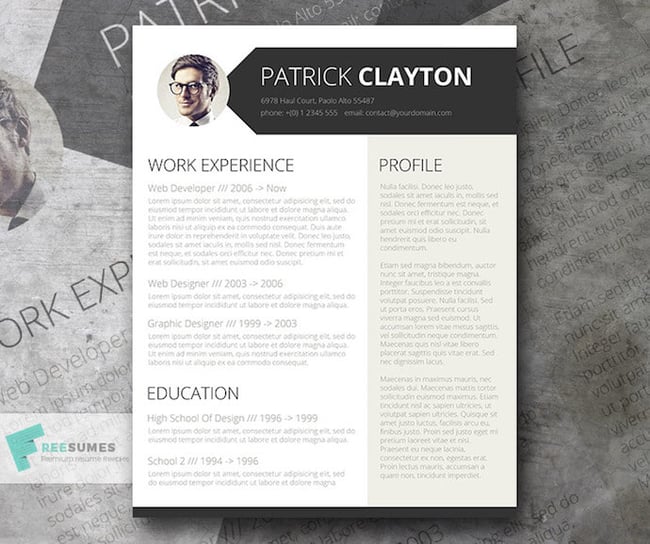
Download this template here.
This is another sharp template that offers a basic but confident design for any professional. The warm-colored panel on the right-hand side is pre-formatted for a written profile, where you can write a summary of your background or a form letter to each employer.
Just be sure to personalize this messaging to each new recipient so it works for the job you’re applying to. This template is available on Freesumes, and is free to users once they share the page to Facebook or Twitter.
Recommended For: Young Professionals
This resume is great for someone starting their career who needs a little guidance on how to best display notable experiences related to the job posting. Also, it is an editable template that can easily be personalized to appeal to the HR rep reading the resume.
15. Spick and Span Resume Template
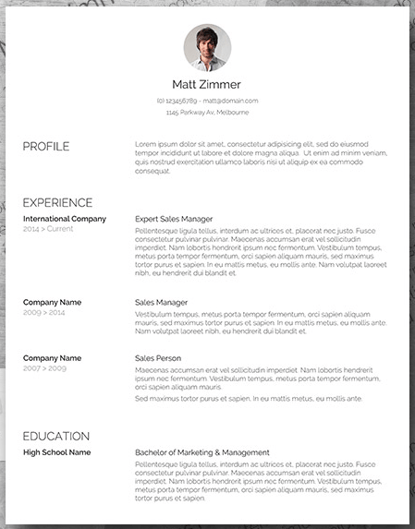
Download this template here.
There isn’t a better name for the template below. The Spick and Span resume might be the cleanest-looking sheet on this list.
It uses boldface, all-caps, and gray typeface to structure various headers of the document differently and maximize the hiring manager’s reading experience. And all that minimalism makes the professional headshot at the top pop off the page.
Recommended For: Creatives, Designers, and Developers
Resumes that look like this can be the work sample. If you have a background in illustration or design, making your resume stand out will be a great nod to your future employer. Get creative with your resume’s design if you want to work in an illustrative industry.
16. Timeline-Style Resume Template
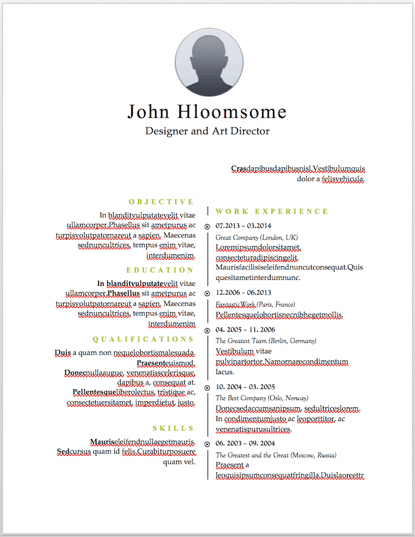
Download this template here.
Similar to the Centered Bar resume earlier in the post, Hloom’s Timeline template is a super simple but creative way to tell your story.
You can convey your progression through various jobs you’ve held on one side of the vertical line, and more static elements of your background — such as skills and education — on the other.
Recommended For: Editors and Copywriters
This template has a sleek and clean look that places the focus on the highlights of your experience rather than on the minor details. If you have a background in editing or copywriting, this resume is the perfect way to showcase your skills in a concise and effective narrative … without the fluff!
17. Content Production Resume Template
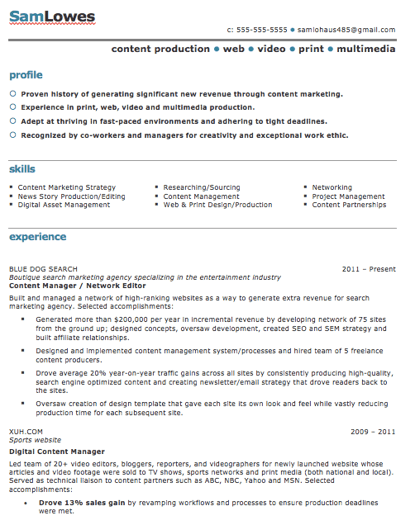
Download this template here.
This basic resume template is suited for content producers at all stages in their career. By spreading out the header and «Skills» text horizontally, the resume below fits a lot of crucial information comfortably on one page (of course, it also comes with a second page if you need it).
Recommended For: Content Creators and Videographers
This resume will help content creators showcase their biggest projects and most notable accomplishments. It’s great for showing how your scope of work has increased over the years, solidifying your expertise in that field.
18. Fresh Resume Template
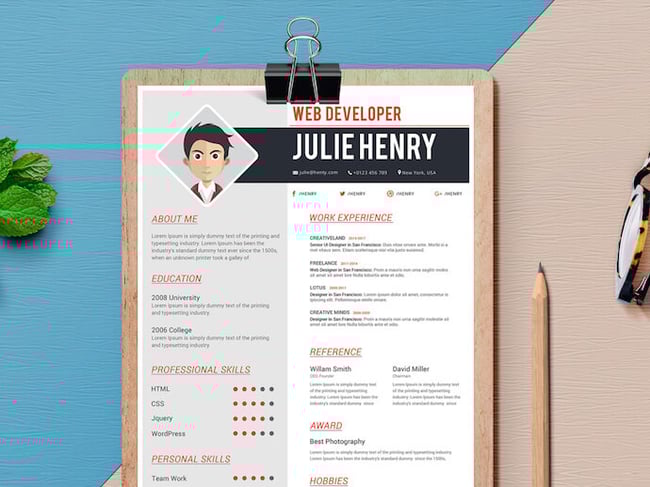
Download this template here.
This is perhaps the most imaginative of all the Word-based resume templates on this list — with both a skills meter and a comic headshot.
The template was designed by Venkata Naresh and comes with 12 different versions of the design you see below. Have you created a Bitmoji of yourself? Do you think your employer would find it creative? Match the template and add it as your photo.
Recommended For: Creative Artists or Digital Marketers
If you need a resume template that will showcase your artistic skills without being too casual or being too informal, this is perfect for you. You can also add in notes of your accomplishments, relevant skills, and qualifications for the job.
19. CV Resume Template
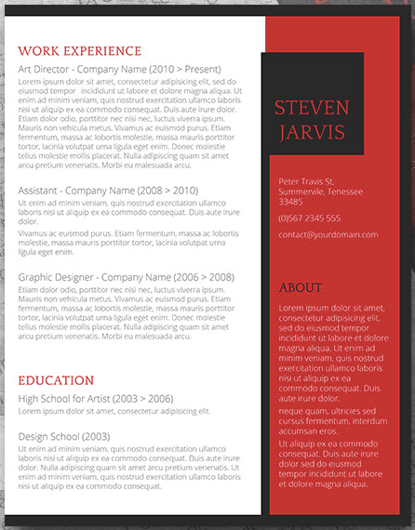
Download this template here.
The curriculum vitae-style resume below flips the typical two-column resume so the basic applicant information is listed across the right side, rather than the left.
Feel free to change the color of this sidebar in Microsoft Word if dark-red isn’t your thing — the template can pull off any color you wish.
Recommended For: Graduate Candidates
If you are a graduate student entering the workforce, having a CV-style resume will demonstrate the depth of your knowledge first and showcase how your continued education will contribute to your future work environment.
20. Goldenrod Resume Template
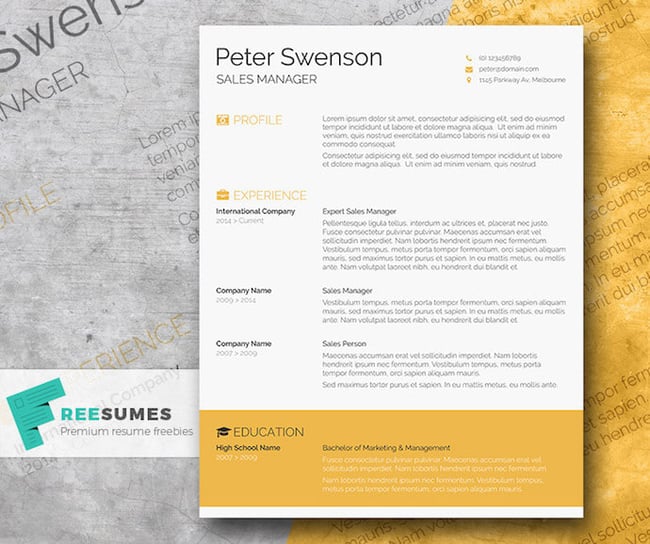
Download this template here.
This template, also offered on Freesumes, dares to use yellow as the dominant color — but doesn’t sacrifice professionalism in the process.
The document anchors the education section to a thick, bright banner across the bottom, but you can likely change this to a skills section with some simple editing in Microsoft Word.
Recommended For: Architects
This clean-cut design represents a candidate who is all about precision. This template would serve candidates who have experience in architecture or construction.
21. Resume Template With Personal Endorsements
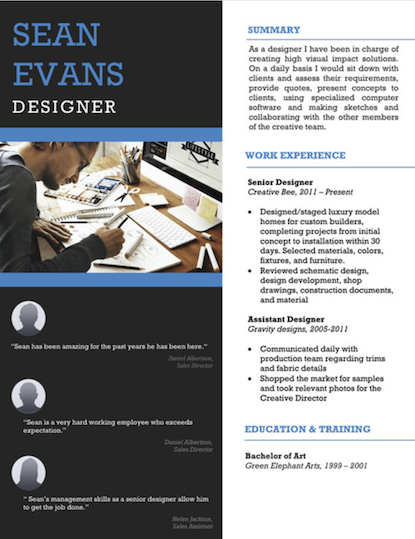
Download this template here.
What makes this resume unique is the space for references on the lower left-hand side. Does your field need others to vouch for your experience? This resume gives you room for three solid recommendations.
Recommended For: Brand Marketers or Personal Influencers
If you work in branding or have a large social media following, you can demonstrate your ability to create a cohesive message with this resume template. Feel free to change the color scheme to suit your brand.
22. Creative Resume Template
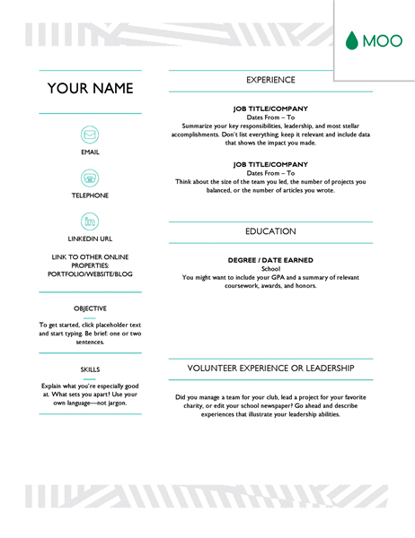
Download this template here.
This one was designed by the stationery experts at MOO and is offered for download by Microsoft. Simple but vibrant, this template hugs the text with an artistic header and footer — great for recent graduates who need to fill empty space on the page.
Recommended For: Photographers and Other Creatives
If you are a photographer who does freelance work, this is a great template to showcase your experience. This will give your hiring manager or client an excellent first impression because it showcases your creative ability without sacrificing the important elements — your accomplishments.
23. Modern Resume Template
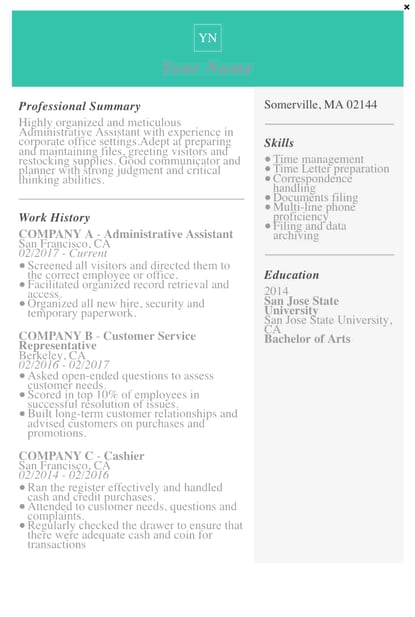
Download this template here.
This resume embraces simplicity with a slight touch of color to make things a bit more interesting. It also nicely sections off Skills and Education notes from the Work History list.
With LiveCareer.com, you can generate a template with your basic information and then download it to add small details.
Recommended For: Young Professionals
This resume gives a modern twist on the resume. It’s perfect for those looking for a fresher look than the traditional resume.
24. Functional Resume Template
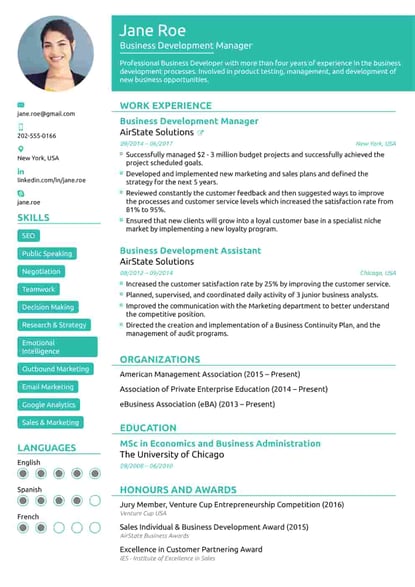
Download this template here.
This NovoResume.com template is colorful and includes a place for your headshot which could make you look both interesting and confident to an employer.
Recommended For: Media Professionals
A colorful format like this one might be great for a media or advertising professional who wants to keep their job application visually memorable to prospective employers.
25. Elegant Resume Template
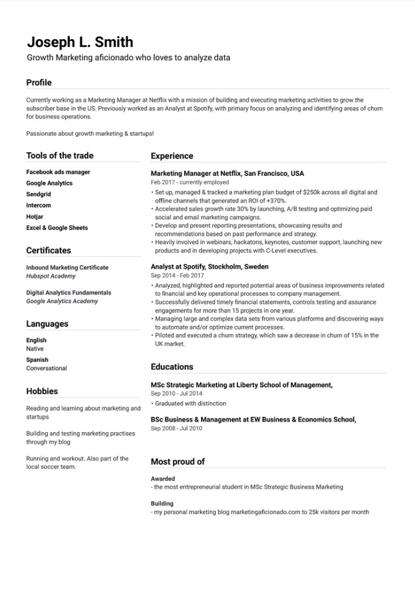
Download this template here.
If you’re looking for simplicity and efficiency rather than something colorful, consider this Elegant Resume Template from Jofibo.
With Jofibo, you can select this or other similar templates on the website, enter your information, and then download it quickly and easily.
Recommended For: Marketing Candidates
If you are a mid-level marketing candidate, use this fun template to showcase all of your expertise and accomplishments. It’s an eye-catching template that displays your creativity and ability to engage.
26. Blue Corporate Resume Template
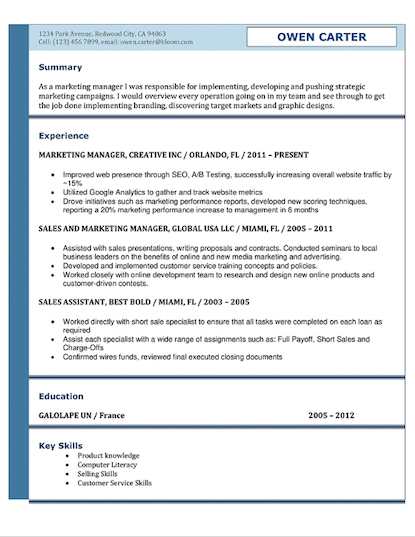
Download this template here.
Because of the color and image, it’s pretty memorable. But, for those who prefer a more conservative resume look, this template is fairly simple.
Recommended For: Corporate Candidates
This template is great for accomplished candidates moving into a high-rank position. This layout allows you to fit plenty of accomplishments, and the conservative look organizes the fullness of your career neatly.
27. Concept Resume
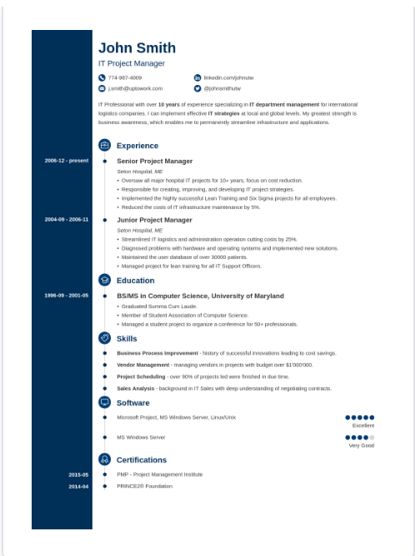
Download this template here.
This resume is perfect for displaying a clear timeline of your career history. It’s ideal for a seasoned professional who may have a lot of experience and wants to display it on one to two pages.
The template also allows you to highlight your competency level in various areas, giving the recruiter an easy way to spot your expertise.
Recommended For: Candidates in the Tech Industry
This resume is great for people in the technical space because it adds a touch of color and feels more compact, which will allow you to get right to the point about your key skills, certifications, and work experiences.
- Open Microsoft Word on your computer.
- Select either Basic Resume or Bold Resume from the template menu.
- Fill in your name and contact information at the top.
- Draft a brief summary of your experience and goals.
- Enter your school and latest education.
- Describe each job you’ve held using the lines prompted on the template.
- List all relevant skills.
- Describe any relevant accolades and accomplishments.
1. Open Microsoft Word on your computer.
If you have Microsoft Word installed on your computer, open the program and let it load for a moment. There will be a couple of helpful options waiting for you on the first screen, specifically for resume creation.
2. Select either «Basic Resume» or «Bold Resume» from the template menu.
Once you’ve launched MS Word, a window of templates will appear. Scroll down until you see the template options designed for resumes — there will be at least two of them. Double-click the one that suits your style and personal brand, but don’t be too particular about design just yet … you can customize these templates quite a bit.
3. Fill in your name and contact information at the top.
When your resume template opens, you’ll see placeholder text for each line of your resume, starting with your first and last name at the top. Delete this header text and enter your name, as well as any contact information by which you want the recruiter to contact you.
4. Draft a brief summary of your experience and goals.
Use the first line below your name and contact info to describe who you are, what you do, and what you’re looking for in your career.
5. Enter your school and latest education.
List any relevant degrees or certificates you received through schooling. You can safely exclude secondary education if you’ve graduated from an accredited college.
6. Describe each job you’ve held using the lines prompted on the template.
Your professional experience is frequently the most important section of your resume, so feel free to rank this section above your skills and education, depending on how many jobs you previously held.
7. List all relevant skills.
If you have experience in certain software, exercises, problem-solving, or management techniques, use them to populate your skills. Your resume’s «Skills» section helps reveal what all of your previous jobs or related experiences have in common, based on what they taught you and what you provided them.
8. Describe any relevant accolades and accomplishments.
Finish out your resume with any personal accomplishments or accolades you think a hiring manager in your industry would appreciate. Although this section shouldn’t include a Most Improved recognition from little league, for example, it should definitely include your Marketer of the Month award from your last position.
Next, let’s cover how to format your brand-new resume in Word.
How To Format a Resume in Word
When formatting a resume in Word, it’s important to know the right style. We’ll go over it piece by piece.
Set the Right Margins and Font Size
Your resume should contain one-inch margins on all sides. Most documents will automatically have one-inch margins, but it’s best to double-check or create them yourself. Here’s how to create one-inch margins for your resume:
- Go to «Layout.»
- Click «Margins.»
- Click the «Normal» setting, where it states 1″ on the top, bottom, left, and right sides of the document.
Lastly, make sure your font size is 12-pt. This font size is standard for most resumes. However, if you have a particularly long CV, you could potentially get away with an 11-pt font size to fit it all on one page.
Create Headers
You should separate each section (i.e., education, work experience) with a header.
Create a header in Word by selecting «Styles». You can use «Header 1» for your first and last name at the top of the page. «Header 2» is great for the «Education» section, «Work Experience» section, and «Skills» section. Use «Header 3» for employer names and job titles, and use normal text to fill in the details of your accomplishments, skills, and educational background.
Create Dividers
If you want to visually divide your resume into different parts, you can create dividers to split up the information and make your resume more scannable. Here’s how to add dividers:
Go to «Insert», select «Illustrations,» and then click «Shapes». You can select «Lines» to draw a line in Word. Another shortcut to create dividers is pressing the «=», «_», or and «*» three times and hitting enter. These give a variation of dividers that can add dimension to your resume.
Create Bullet Points
The truth is, no hiring manager will read a paragraph of information, so we recommend using bullets instead to list your accomplishments and responsibilities underneath your job titles. When you open «Paragraph,» you’ll see a variation of bullet points you can use. Choose the one you like best.
Sometimes, you might not have time to create and format a resume from scratch. Plus, if you’re already employed full-time, it’s hard to find the time to apply to a new job opportunity, let alone update your resume to reflect your qualifications.
Luckily, there are numerous publishers out there who’ve created incredible resume templates for quick editing and formatting in Word.
You can also find resume templates directly in Word, which we’ll go over next.
How to Find Resume Templates in Word
When you open Word, go to ‘New’. On the bar on the left, select the ‘New’ option if it’s not selected already. Scroll down and you will see the resume template options that Word provides. These templates are visually appealing and are ready-made to send with your job application.
To keep you from hunting the internet for resume templates that are both free and compatible with MS Word, we’ve listed some options below for you to customize with your own information right now.
Some of them come with variations so you can pick your favorite design. A few of them cater specifically to marketers.
How to Save Your Resume
Remember, once you’ve finished personalizing your resume, you’re not ready to submit an application yet. To ensure your resume’s format stays the same for everyone who receives it, save the document as a PDF. Best case scenario? Even the hiring manager won’t believe your resume came from Word.
Editor’s Note: This post was originally published in 2018 but was updated in May 2020 for comprehensiveness.
Show off your accomplishments with creative templates
Land your dream job with free, customizable resume and cover letter templates. Give recruiters a taste of your potential and stand out from other candidates with a professional template. Cover letters provide an effective opportunity to show your personality and enthusiasm for a position. Focus on writing a compelling cover letter and let a professionally designed template do the rest. Stick to a sleek design when applying to corporate positions or show your creativity with bold colors. Resumes don’t need to look boring—add flair to your professional experience with a creative resume template. Impress potential employers with compelling resume designs without spending hours creating a layout. Once you choose your favorite template, you’ll be able to personalize each design element, like font styles, and add your own text. Using a template also makes it easier to customize your resume for each position you apply to. Print out as many copies as you’d like or download the template to share digitally when applying online. Remember, your next job is only a template away!
Are you looking to create a new resume but don’t want to go through the painstaking process of creating one from scratch, section by section?
To save a lot of time, you can use a Microsoft Word resume template instead.
Why would you want to do that?
For one, MS-Word comes with a lot of pre-built resume templates that can have you up and running with a fully customized resume in a matter of minutes.
There’s quite a lot of variety as well. So, you can really pick a resume template that both you and the HR manager will love.
Are you a marketer or a designer? Pick a creative resume and show off your imagination!
Applying for a finance position in a bank? One of the conservative, black & white word resume templates will work for you.
Word comes with a number of free templates, and there are other hand-crafted premium options available online.
Do you want a winning Word template that’ll have the HR manager glued to your beautiful resume?
Here’s what you need to know:
- How to Use Word Resume Templates
- 10+ Free Word Resume Templates
- 10+ Premium Word Resume Templates
- How to Make a Resume the Easy Way
How to Use Word Resume Templates
There are two ways you can get your hands on a Word resume template.
You can either go with a pre-customized Word template that comes with the software, or you can use an external template made by designers and career experts for Word specifically.
Let’s start with the resume templates that come with the software.
In-Build Microsoft Word Resume Templates
To access these templates, here’s what you do:
- Open MS word
- Click file from the menu bar on top of the screen
- Select new
- From there, you can select a number of different formats (resumes, flyers, cards, cover letters, and more)
In this case, we’re focusing on resume templates, so you can type that in the search bar to see the different kinds of templates available.
As you can see, there’s plenty of choice here and a lot of different design options.

From there on, you find the one you like, and just fill it in to your liking!
Each of the templates come with a brief description as well, based on the theme and what kind of impression you want to leave with that specific template.
Here’s what you’d be getting with the free Pink floral resume:
Present your resume with this easily customizable template. Edit your experience and information with this and know that you’ll be making a statement with the design choice. This template also includes information on how to build an effective resume:

Not sure what to put on your resume? We feel you! Picking the right template is only the first step. Check out our complete guide on how to make a resume and you’ll be an expert in no time!.
10+ Free Word Resume Templates
The best things in life are free, right?
Let’s see if the best free Word resume templates also stack up.
Functional Resume (Simple Design)

Who’s it for: Any entry-level position
Creator: Microsoft
Where to find it: Microsoft Templates
Want something super simple for free?
Microsoft Word comes with a number of ready-to-go resume templates that are one click away.
All you have to do is go to Microsoft Templates, where you’ll find a number of different templates for resumes, cover letter, newsletters, and more.
There, you’ll find a number of good starting resume templates, like this functional resume by Microsoft.
When to Use This Template
Depending on your achievements and background, you’ll want to list your qualifications in a specific order. With this functional resume, you can list your objective, professional achievements, skills, and work history — in that specific order.
You can use this resume if you’re switching jobs to a different career, or as your no experience resume.
With just a bit of color to stand out and clear sections within the layout, you can’t go wrong with this template.
It’s a simple, and effective starting point for most job-seekers.
Though, the design might be all too common and easy to blend in with other candidates applying for the same job.

Modern Chronological Resume

Who’s it for: Mid-level job-seekers
Creator: Microsoft
Where to find it: Microsoft Templates
Most resume formats you find are going to be in chronological order.
That is, starting from your most recent job experience, going down to your previous jobs.
You can’t go wrong with this format, and if you want something that’s professional, but also has a bit of flair to it, check out the Modern chronological resume by Microsoft:
When to Use This Template
The standard way to list your work experience is in chronological order. With this modern resume, you can start with your latest job experience to help the HR manager easily find what they’re looking for.
This is a very straightforward approach, and it also has a color scheme and a design that can help you stand out from other candidates.
Just because it’s professional, doesn’t mean it has to be boring.
Though, if you want to take a more creative approach with your resume, you could use the…
Infographic Word Resume

Who’s it for: Marketers and social media experts
Creator: Microsoft
Where to find it: Microsoft Templates
Are you applying for a marketing or a design job where you’ll be creating a lot of web content?
Then you can make your resume a part of your portfolio with the infographic resume.
When to Use This Template
Use this infographic resume to list your qualifications in a way that’s easy to follow. The icons highlight your skills and the sections follow a clear direction.
This is a good example of custom tailoring your resume to the job.
It goes without saying that the content inside the resume has to be up to par as well.
But as far as standing out goes, this infographic resume is guaranteed to attract eyes from a stack of resumes.
FREE Resume Template by Fernando Báez

Who’s it for: Graphic and web designers
Creator: Fernando Báez
Where to find it: Behance
What could be better than a free resume template that has already been tried and tested?
After using and getting a few jobs with the very same template as a freelance UI/UX designer, Fernando is now giving away his secrets in the form of a free template.
When to Use This Template
In the resume pack, you’ll find your resume template in .ai format (Adobe Illustrator), all resume fonts used in the design, and a free icon set by Brankic. In it, you can customize the infographics to help represent your specialties, knowledge, language skills, or hobbies.
(Need help with any of those sections? Read our guide on what to put on a resume.)
Whether or not you’re a designer, you can customize the above template to truly represent you and make it uniquely yours.
There’s nothing wrong with using a template — it’s not plagiarism.
It’s inside the resume what matters, which is going to be unique each time (at least it should be).
Bold Monogram Resume

Who’s it for: Any general-level position
Creator: Microsoft
Where to find it: Microsoft Templates
A resume objective is a short 1-2 sentence elevator pitch that provides an overview of your experience, skills, and motivations.
In it, you explain why you’re the right person for the job.
With this Bold monogram resume, your resume objective is guaranteed to stand out and be one of the first things the HR manager will notice.
When to Use This Template
Present your qualifications in a stylish way that’s also professional and guaranteed to stand out. This template includes an editable color scheme, and instructions on how to build an effective resume.
While the focus is definitely on the resume objective, the rest of the resume follows a smooth flow in an order that makes sense.
Need some inspiration on your resume objective? Check out our real-life resume objective examples guide.
Simple and Clean Resume Template

Who’s it for: Creative directors
Creator: ZokiDesign
Where to find it: ZokiDesign
This simple and minimalistic resume template has a clean aesthetic, is easy to format and covers a lot of sections.
You can show off your work experience as well as your background (resume summary or objective), education, skills, and even your hobbies.
Though you can change the color scheme, the format and the layout makes this resume ideal for creative roles.
When to Use This Template
With a clean and modern aesthetic, this resume is a great way to quickly sum up your qualifications and also stand out from other resumes with its design. It has a minimal look to it, and still contain a lot of information while staying under 1 page. If needed, it can also be converted into a cover letter.
In short, the above resume covers just about everything you’ll need in a template and more.
The best part about it, like with most Word templates, is its customizability.
So, if you’re applying to a more conservative job, you can change the colors into a calmer tone — like black and white.
Creative Resume, Designed by MOO

Who’s it for: Anyone in a creative role
Creator: Microsoft
Where to find it: Microsoft Templates
Created with a neutral color scheme, this creative resume template by MOO was made to show off your creativity.
Yet, it won’t distract the viewers from the actual content within it.
So, depending on the company you’re applying to and your experience, you can draw eyes with this template.
When to Use This Template
This accessible resume template is for job seekers who want to show off their creative side and stand out from other candidates. It has all the important sections you’ll need and an editable color scheme.
If you don’t necessarily have a lot of work experience, you can go with a creative template approach to stand out from other candidates and stay memorable.
In that case, you have to make sure your resume objective, skills, and other sections clearly display your motivation for the role.
Fully Editable Creative Resume Template by Omer Korkmaz

Who’s it for: Senior graphic, UI/UX Designers
Creator: Omer Korkmaz
Where to find it: Behance
If you’re a graphic designer and know you’re way around AI, this fully editable creative resume template by Omer Korkmaz might be for you.
This template has everything you’d need applying for a graphic design role:
- A place for your contact information
- Education
- Skills
- Work experience (with plenty of space)
- Certifications
- And some extra space for other optional sections
When to Use This Template
This resume template is fully editable, and ideal for graphic designers. The free download includes a PowerPoint and Adobe Illustrator format, and the Open Sans font — everything you’ll ever need.
Because of the format versions that come with the template, you can really fine-tune the resume to perfection. You can change the design, the color schemes, and any other detail within Adobe Illustrator.
So, if you’re applying for a senior UX/UI designer role, you can really make sure that your resume reflects your qualifications with this creative template.
Minimal Resume — Free by Sovon Halder

Who’s it for: Web developers and designers
Creator: Sovon Halder
Where to find it: Behance
This minimal resume template has an interesting color scheme and a font system to it that can make you stand out easily.
It stays just under one page, with all the necessary sections intact.
The resume also comes with Adobe Photoshop, Illustrator and PDF formats.
So, formatting shouldn’t be a problem as you can just edit it and quickly send it to an employer.
When to Use This Template
Minimal design, A4 Size, print ready, and editable. The template focuses primarily on your work experience, and your soft and hard skills. And you can always edit it based on your qualifications. Once you’re done editing, the resume is already print ready, so, all you have to do is customize the resume based on the job you’re applying to.
Despite its minimalistic approach, there’s a lot going on in the resume and you can easily summarize yourself in one page.
There’s plenty of white space as well.
So, in short, it’s easy on the eyes and the readability within the layout is on point as well. Now, what matters is what actually goes within it.
Resume for Recent College Graduate

Who’s it for: Recent college graduates
Creator: Microsoft
Where to find it: Microsoft Templates
Finally, we’ve covered just about every type of resume scenarios, except this one.
This Word template for recent college graduates prioritizes your objective, education, skills, and ends with experience (which you can include if you have any).
The design and the layout is fairly simple, and most of the resume is already filled in with examples. All you have to do is modify it based on your background —
When to Use This Template
This resume was made with college graduates in mind. If you don’t have a lot of work experience, you can use this template to prioritize other sections (e.g. your education, skills, abilities, experience).
It’s simple and straightforward.
And sometimes, that’s what it takes to get your foot in the door when you’re a recent college grad with not a lot of experience.
Still confused on how to structure your resume when you don’t have a lot of experience?
See our full guide for student and graduate resumes for a detailed guide on what you can include.
10+ Premium Word Resume Templates
Now, the other side of the coin is actually paying for your resume template.
You might be thinking — the reason I’m looking for a job in the first place is to make money, why would I pay for a resume template?
A couple of reasons.
First, most premium resume templates only go up to around $15-20 at most.
And if you do find one that too perfect to pass up on — $15 is a relatively small price to pay for investing in your future.
You can then customize and re-edit your template for any future jobs, too.
After all, if it worked once, it’s probably going to work again, right?
Another advantage premium resume templates offer is that they also tend to come with extra features and/or files within.
Let’s take a look at what that might look like:
Clean Resume Template by HalfCircle

Who’s it for: Graphic and web designers
Creator: HalfCircle
Where to find it: CreativeMarket
Price: $6
This clean resume template by HalfCircle comes with a DOCX MS Word file and an Adobe Photoshop File for easy customization.
It also includes three different color schemes, a cover letter, all the fonts used, and it’s also ready-to-print.
When to Use This Template
The resume includes a clean layout with an easy-to-read font choice. The colors, along with the rest of the resume, are customizable and you can edit everything in even more detail with the Photoshop PSD file. The cover letter section, meanwhile, includes plenty of space for your text and has a contact information section as well.
The best thing about this template is how clearly the sections are separated.
Nothing in it feels too close to each other and it’s just as easy for the HR manager to find or jump to any specific section they’re looking for.
There’s not much else to say about this resume other than that it’s very straightforward and simple — living up to its name clean resume template name.
Professional Resume / CV Template by Classic Design
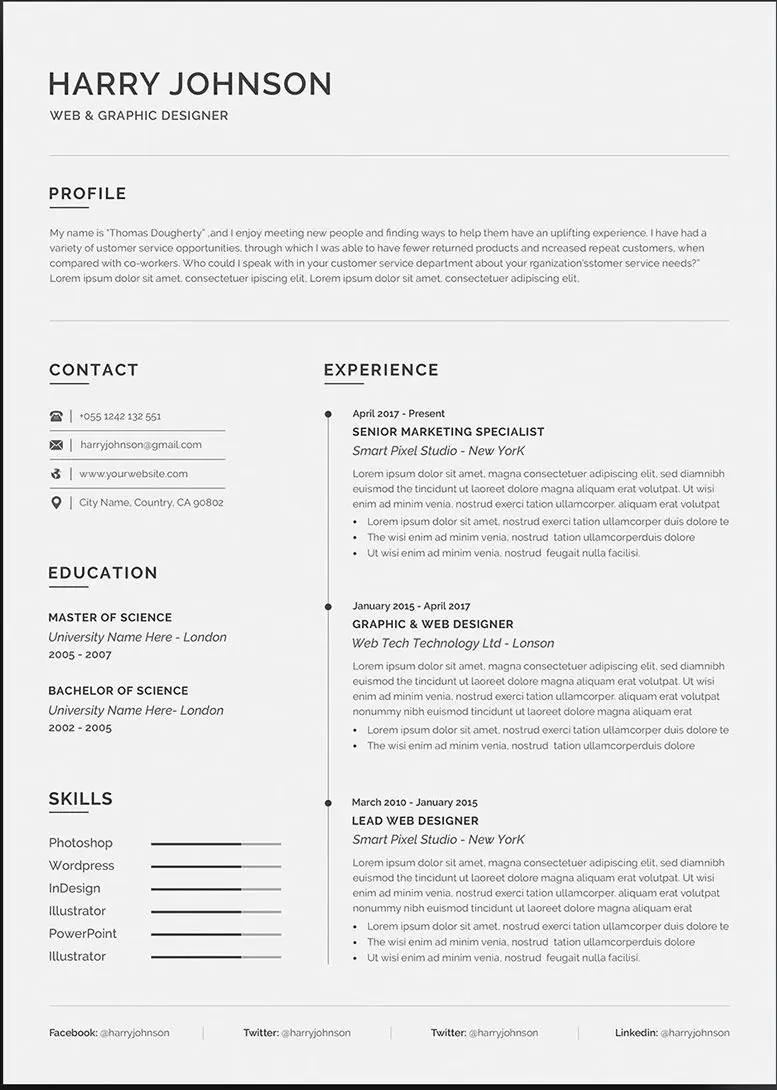
Who’s it for: Web and graphic designers
Creator: Classic Design
Where to find it: Behance
Price: $7
Looking for something more professional?
The professional resume template by Classic Design might be what you’re looking for.
The colors aren’t as vibrant here but the colors and the typography suggest that it’s more for a senior job role in a more traditional working environment.
When to Use This Template
This professional resume template has a more faded gray color scheme to it, and a font style that’s easy to follow. The template comes with Word, Photoshop and Adobe Illustrator formats, and a cover letter — all of which are easy to customize.
Though the default resume text is suited for a design role, you can easily to your career field and it won’t be out of place due to its design.
The template has all the sections you’d ever need, for both a creative and a more traditional job, and the HR manager will have an easy time following it top to bottom.
Professional Resume Template

Who’s it for: Marketers and bloggers
Creator: Mukhlasur Rahman
Where to find it: Behance
Price: $8.47
Want your resume to be personally tailored to your personality and job role?
This professional resume template by Mukhlasur Rahman might be for you then.
The Word template follows a consistent color scheme and layout that’s been specifically designed for designers and bloggers.
When to Use This Template
This professional and creative resume template has been tailor made for designers and online bloggers. It includes a contact section, social media, education, skills, profile, work experience, and awards. The template also comes with a separate cover letter, a reference page, and a free icon set.
If you’re going to be working closely with social media and other relevant online channels, you might want to include a whole section for it on your resume.
In it, you can include the following sections, depending on how relevant they are to you:
- Medium
- Personal site or blog
- Quora
- Twitter, Facebook, or Instagram
If the job requires you to be a social media expert, this might also be the perfect place to mention how you managed to grow your social media channel 0 to 10K.
Resume Template & Cover Letter by Opu;ent Studio

Who’s it for: Any senior role
Creator: Opu;’ent
Where to find it: Behance
Price: $9
If you’re applying for a more senior role this Word resume template & cover letter by Opu;ent Studio might be more up your alley.
The template is easy to edit in Adobe InDesign and Microsoft Word, and covers the following sections:
- Biography (though you can edit this for resume summary or objective)
- Work experience
- Education
- Technical Skills
- Contact information
- Cover letter
When to Use This Template
With a clean and unique look to the resume, this template is more suited for professionals and senior-level positions. There is a lot of space for work experience, and you can just as easily transform the biography section into a resume summary.
And if you think the template looks short, don’t worry. Everything you can’t mention in it goes in the cover letter.
Look at the cover letter as a one-page document that briefly summarizes your background.
A good cover letter is a supplement to your resume and can get the HR manager to call you back.
Wondering if you should also include your picture on the resume like in the above template? That may depend on your location.
Check out our guide to see if you should include a picture on your resume or CV.
Clean Resume/CV + Cover letter by Tamzid Hasan

Who’s it for: Web, IT developer
Creator: Tamzid Hasan
Where to find it: Behance
Price: $5
If you are indeed looking for a more professional resume, this clean resume/CV combo by Tamzid Hasan might work great.
When to Use This Template
Clean one page resume that also comes with a cover letter and a reference template. It follows a professional black and white color scheme and a layout that focuses on work experience. Main features include:
- A4 & US Letter size
- Clean & professional design
- Microsoft Word (Docx) files
- CV/Resume + Cover Letter + References
- 1 & 2 page version
- Paragraph style
- Free font
Of course, ideally, your resume should fit within one page. But if you have 5+ years of experience, you can break that rule and go with the two page version the template comes with.
If you are indeed going to go over the one page rule, since you’ll have more space in your overall resume, you can also include:
- Hard skills
- Soft skills
- Languages
- Certifications
- References
One page is ideal, but depending on the job role and your experience, you can also include some extra sections to back up your background.
Modern Resume Template for Microsoft Word by ResumeCoverPro
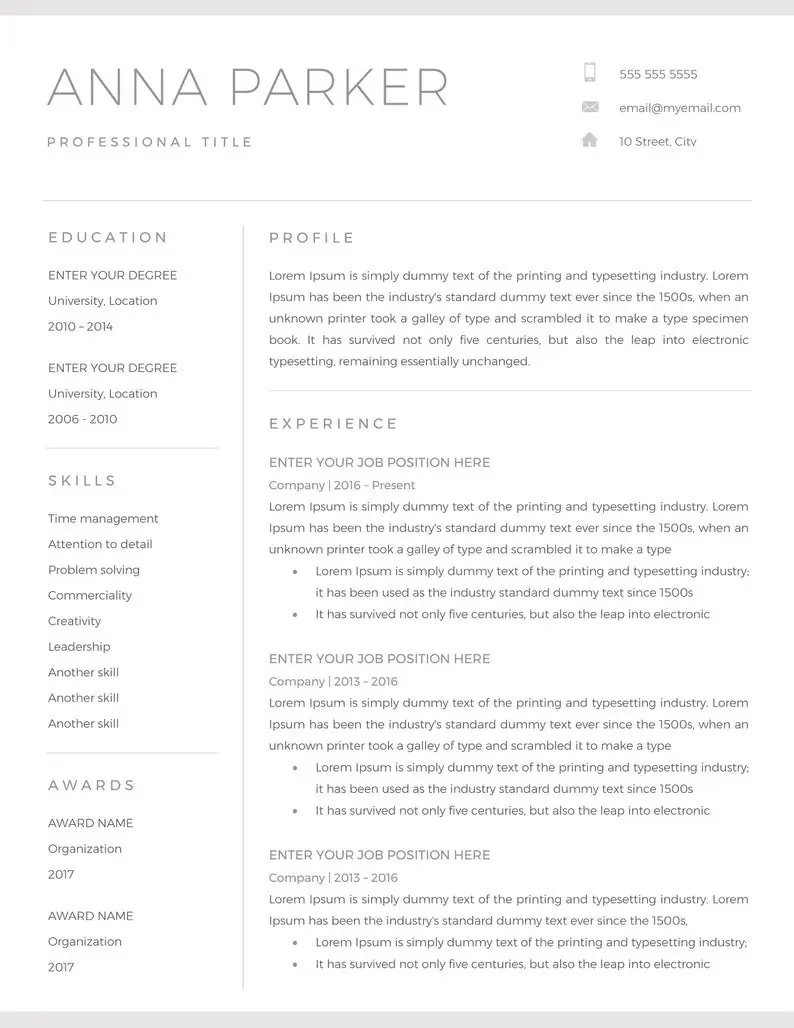
Who’s it for: Any professional and creative role
Creator: ResumeCoverPro
Where to find it: Etsy
Price: $11
Looking for something that’s modern and professional?
Check out the professional resume package by ResumeCoverPro which includes — resume and cover letter templates, an icon pack, free fonts, effective customer support and more.
When to Use This Template
This template focuses on the main categories: education, profile, skills, work experience, and awards. You can edit each section to customize it but for the most part, it follows a very straightforward layout and color scheme. All you have to do is edit in the blanks and send it in.
This template wasn’t designed with any one specific job role in mind, so, it’s a great general-purpose approach with its design and layout.
As long as you have Word (or Google Docs), you can customize it to make it truly yours.
And if for some reason you need further help, the template comes with additional instructions and even customer support.
Optimized 1-page Edition Resume by TheResumeCoach

Who’s it for: PR, Marketers
Creator: TheResumeCoach
Where to find it: Etsy
Price: $15
This optimized 1-page edition resume is an attempt at perfecting the resume layout with the bare essentials.
For most jobs, regardless of the seniority level or the career field, this template will allow you to get all of your qualifications on paper, in a classic A4 one page format.
When to Use This Template
This template allows you to highlight your key skills and qualifications, all in one page. No need to worry about going overboard with this as this has been specifically designed for a 1-page approach.
This is a clear attempt at optimizing for the 1-page resume format.
If you’re looking for something that’s professional and you can use for multiple scenarios — the above template might be the way to go.
It’s easy-to-use and will look good for most people.
All you have to do is fill in the blanks and you’ll have a fully customized resume that’s guaranteed to stand out and attract eyes.
Elegant Resume by Horea Nicodin

Who’s it for: Pretty much anyone
Creator: Horea Nicodin
Where to find it: Dribble
Price: $10
Everything about this elegant resume template screams fanciness and it’s guaranteed to get a second look from the HR manager — which is your chance to really draw them in.
If your background is half as good as how the resume looks, you’re guaranteed to get a call back (if not for an interview, just for them to compliment your resume).
When to Use This Template
This template is ideal if you want to leave a lasting impression. It’s functional as well as elegant — definitely the best of both worlds.
Fortunately, it doesn’t actually come with a cursive font, as that would just make the recruiter’s job harder.
Though, the resume template (and the cover letter) do come with any file format you’ll ever need — Word, Photoshop, Illustrator, and InDesign.
This one-page resume template is ideal for those who want to keep their resumes concise, with just the right amount of flair.
2-page Resume/CV Combo by Resume Templates

Who’s it for: UX/UI Designers
Creator: ResumeTemplates
Where to find it: Dribble
Price: $7
If you’re going to be breaking the 1-page resume rule, you better have a good reason for it (i.e. a lot of experience).
And if that’s the case, then you could use the 2-page resume/CV package by ResumeTemplates.
When to Use This Template
Clean, modern and professional Resume with Letterhead design. Fully customizable, and easy to use and replace the color & text.
This 2-pager Word template also comes with a cover letter, 100% scalable files (Photoshop, Illustrator, Word), and is ready to print.
It follows a reverse-chronological order and even has a references section.
So, if you’re going to be using this template, make sure you have enough experience to fill it in with.
Modern Resume Template Package by ResumeFoundry

Who’s it for: Online marketers
Creator: ResumeFoundry
Where to find it: Etsy
Price: $15
Last but not least, this is another take on the modern creative resume package by Resume Foundry.
The package follows an all-in-one approach and the feature of being able to customize it based on your experience.
When to Use This Template
This template comes with just about everything you’ll ever need, regardless of your experience level.This includes a 1-3 page template, a cover letter, references, instructions, and a ready-to-help customer support.
Everything you see on the template is editable, and you also have the freedom to continue over the 2nd page (if needed).
Though, if you’re going to take the one-page approach, you’ll find that it has all the sections you’d need for most jobs. And the design won’t be out of place for just about any career field either.
So, essentially, you’re getting everything you’d need for $15, all that’s left to do is edit them accordingly.
How to Make a Resume the Easy Way

That’s a lot of choice for a Word resume template.
While they might look good on paper, one common issue with building your resume with Word is that it can be super hard to format.
What do we mean by this?
Well, essentially, if you wanted to edit one specific part of your template (e.g. margin, design), there’s a chance that the whole formatting might break and spill over onto the 2nd page.
Sounds familiar? It happens to the best of us.
The reason this happens is because while Word is a powerful software on its own, it will always move your sections to the next page if the formatting isn’t just right.
Details matter to Word, sometimes a bit too much.
Do you want to simplify your resume building process down to its core?
Novorésumé template builder allows you to work and format your resume without having to worry about space, margins and other tiny details.
Everything is formatted based on the layout you choose and you won’t have to worry about your sections seemingly disappearing like in Word.
All this and more — for FREE.
Key Takeaways
So, to recap, here’s everything you need to know about using Microsoft Word resume template:
- You can use preloaded templates in Word by clicking File from the menu bar on top of the screen, then New, and from there, search for a “resume template” from the prompted search bar.
- The templates Word comes with are free, and you can also use premium templates, which you can find online.
- Though the premium templates cost money, the difference is noticeable as in most cases, they’ve been designed by career experts and artists all over the world.
- Once you find an ideal template that fits your qualifications, you can simply download it and edit it within Word.
- Though, if you’re looking for a smoother experience, you can simply use a powerful online resume builder for free, to represent your skills and qualifications based on how you want it.
Discover More Resume Templates
- Google Docs Resume Templates
- Chronological Resume Templates
- Combination Resume Templates
- Creative Resume Templates
- One Page Resume Templates
- 2 Page Resume Templates
- High School Resume Templates
Suggested reading:
- How to Write a Resume & Land That Job [99+ Real-Life Examples]
- CV vs. Resume — What are the Differences & Definitions [+ Examples]
- 40+ Real-Life Resume Objective Examples [+How-to Guide]
Tried editing your resume in Word but created a table wider than the page itself? I get it. These things rarely want to cooperate. But you’re in the right place.
See a collection of resume templates for Word (also free) that will save you the hassle of selecting fonts and formatting columns.
This guide will show you:
- Where to find free resume templates for Word online.
- The advantages and disadvantages of Word resume templates.
- A collection of resume templates for Word better than 9 out of 10 others out there.
Want to save time and have your resume ready in 5 minutes? Try our resume builder. It’s fast and easy to use. Plus, you’ll get ready-made content to add with one click. See 20+ resume templates and create your resume here.
Create your resume now
Sample resume made with our builder—See more resume examples here.
Where Can You Find Word Resume Templates for Free?
Here’s the good news—you don’t have to browse through a hundred web pages to find resume templates for Word. Why? Because Microsoft Word already offers a bunch of free templates.
Follow these steps for easy access to resume templates in Microsoft Word:
- Launch Microsoft Word.
- Start creating a new document.
- Click on Resume and Cover Letter, or type “resume” into the search bar.
- Select the Word resume template you like.
- Click Create and start editing the template in Word.
- Or you can go straight to Microsoft’s templates page and browse through designs.
Now, let’s have a look at our selection of the best Word resume templates!
Want to make your resume in Word from scratch? Learn how: How to Write Your Resume in Word
Are Word Resume Templates a Good Choice?
You came here for free resume templates for Word. But before you dive in, there are a few things worth considering.
Word offers over ten free templates for you to choose from. But given their easy access, you won’t be the only one using them, so it’ll be challenging to stand out. Thanks to their customizable designs, though, you will be able to personalize the template. Caveat: if you have enough time for a desperate struggle with the clunky formatting tools.
Editing can be time-consuming and require more than basic knowledge of Microsoft Word. And if you’re doing it for the first time, you may not necessarily realize there are special resume formats you need to follow. Plus, you’d better know the rules behind an ATS-friendly template, or else nobody will have a look at your resume.
Pro Tip: When writing your resume, pay attention to its structure and the general look and feel. Studies show that recruiters spend only about 7 seconds scanning your resume initially. If it looks cluttered or they can’t quickly find the information they’re looking for, they’re very likely to reject it.
As you see, choosing one of the free resume templates for Word may not be an ideal solution for you. But there’s one thing you can try before making a decision—our resume builder.
Zety resume builder offers resume templates that are easy for you to play with, ready-made content suggestions for your profession, and a worry-free spell checker. And all our templates are compatible with the Applicant Tracking Software. See for yourself:
Cubic
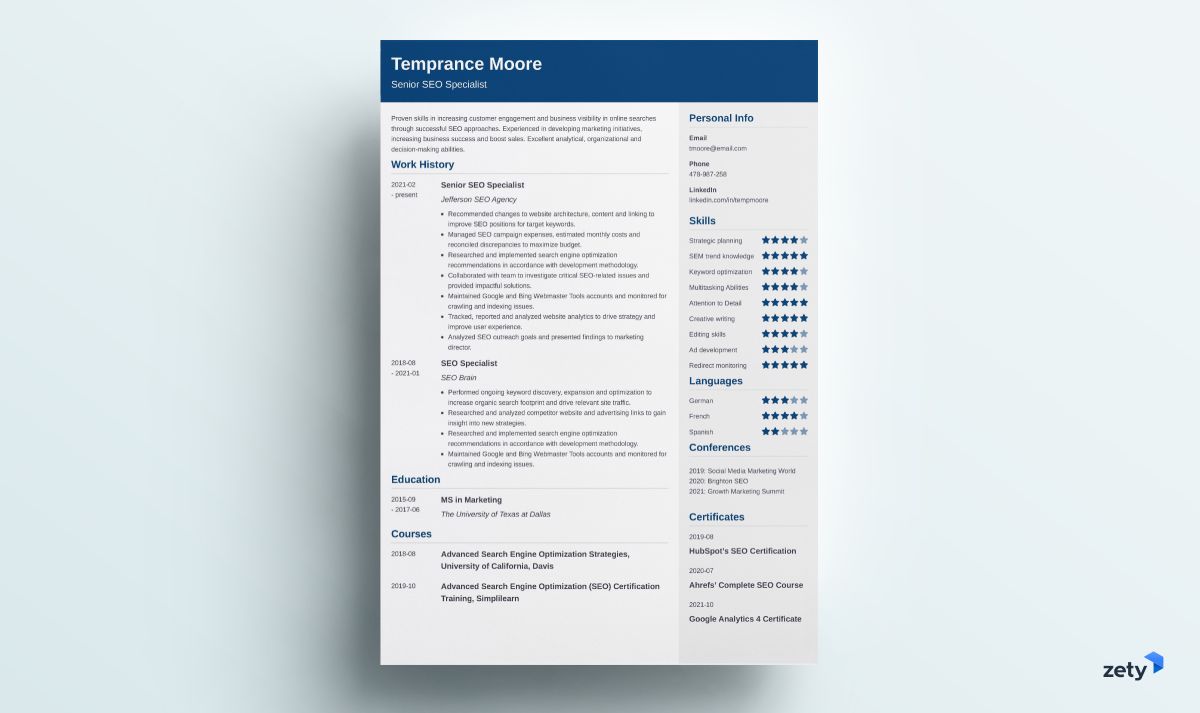
Cubic is a professional resume template for Word that pairs traditional resume elements with a modern, minimalist layout. It’s nicely divided into three sections, each of which is of a different color. The progress bars will keep the recruiters reading till the end.
Concept
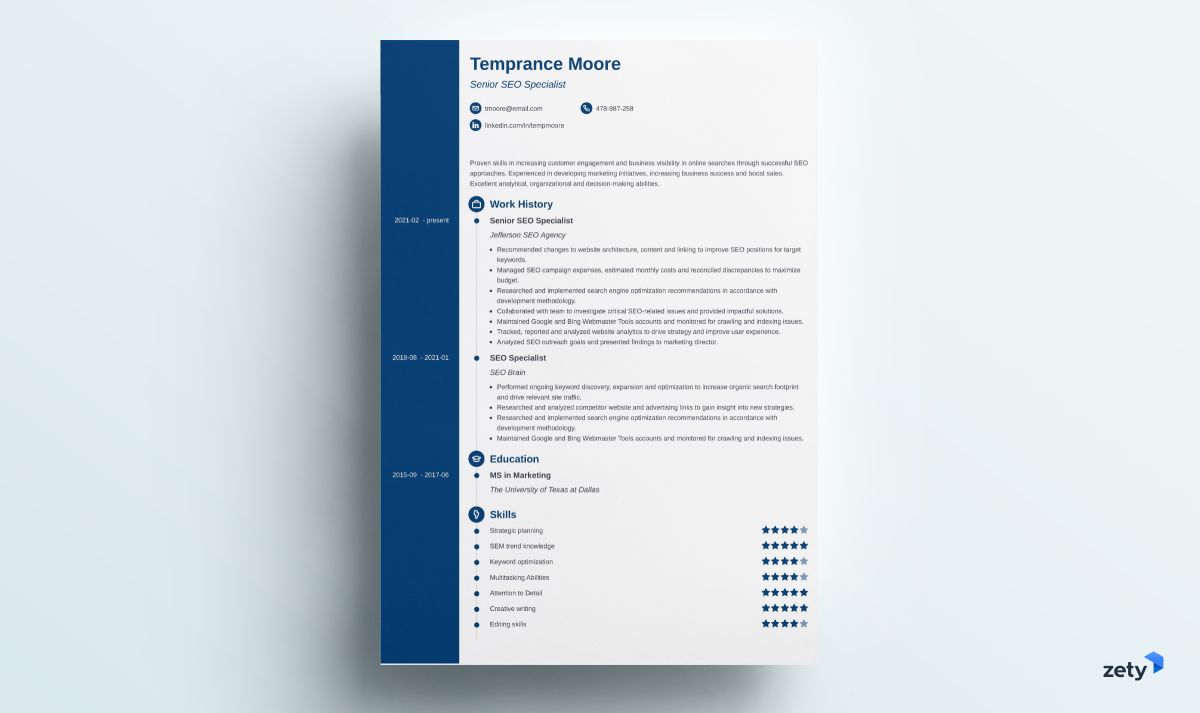
This resume template incorporates a timeline that makes it easier for the reader to follow your professional experience. The resume icons catch the attention of the reader. And you can easily edit the color palette of this resume template in our builder.
Crisp
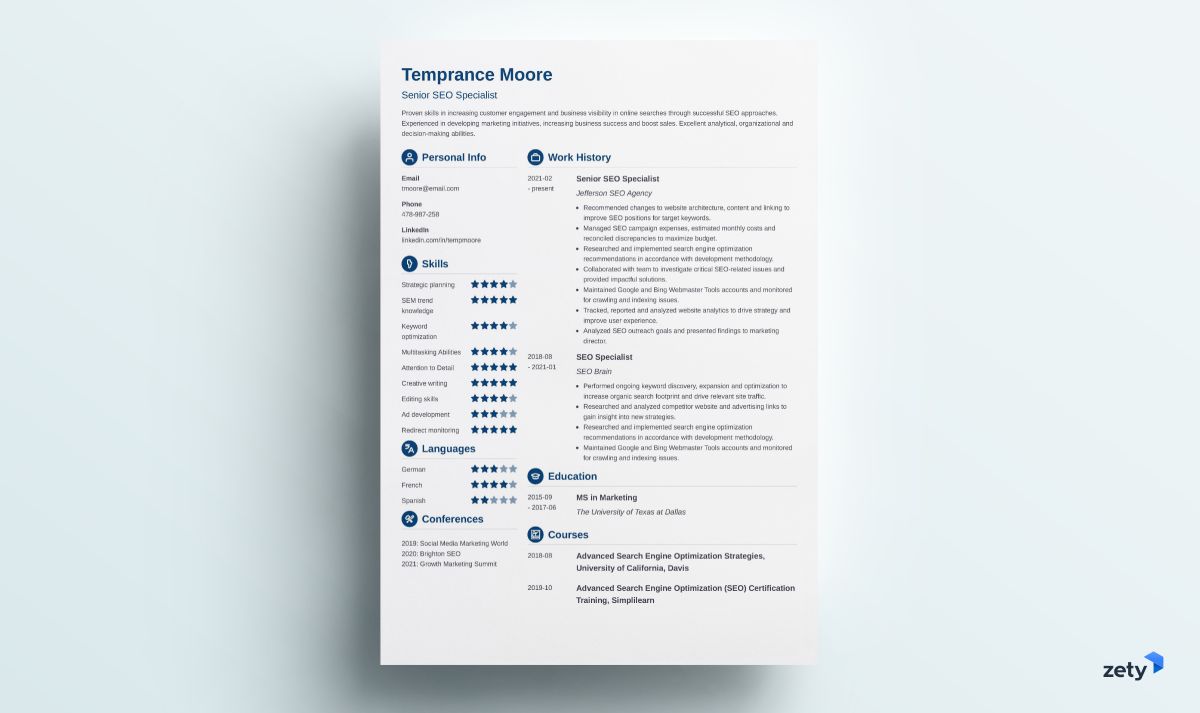
Crisp is one of our two-column resume templates for Word. Its elegant look will work great for both creative and more traditional roles. No matter how much information you want to add, our builder will help you fit it all on one page.
Diamond
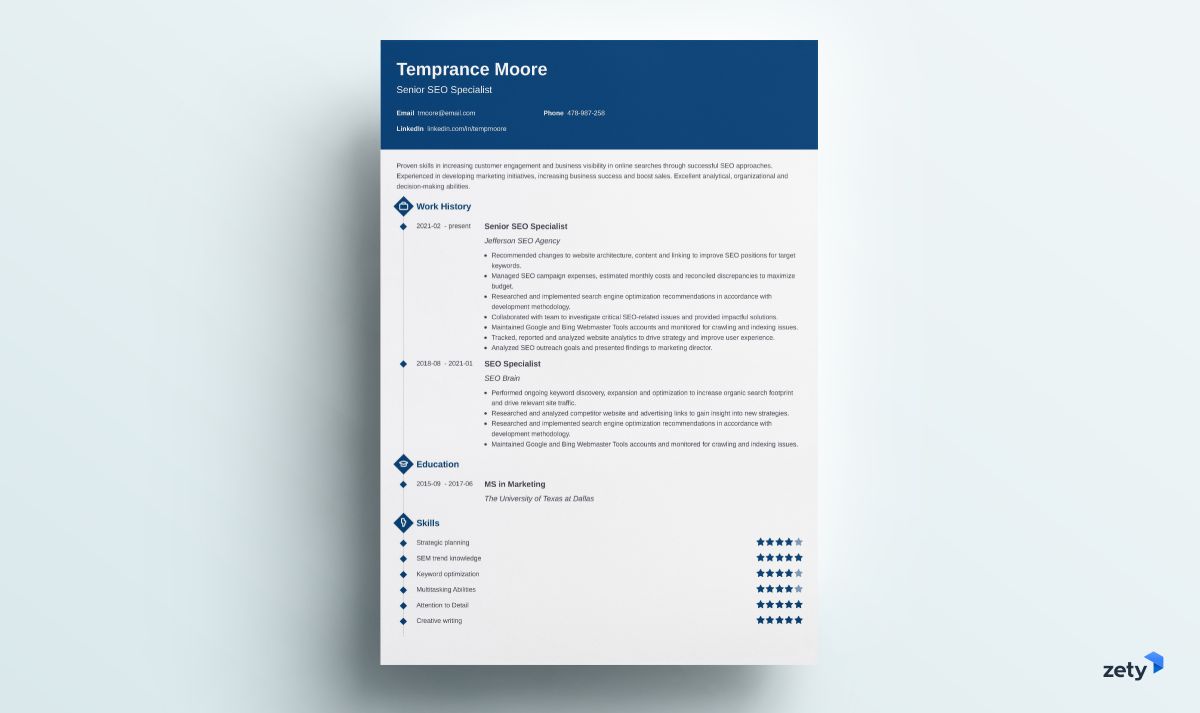
This resume template is a good choice for candidates who prefer the combination resume format. The sections are clearly visible and easy to skim.
Enfold
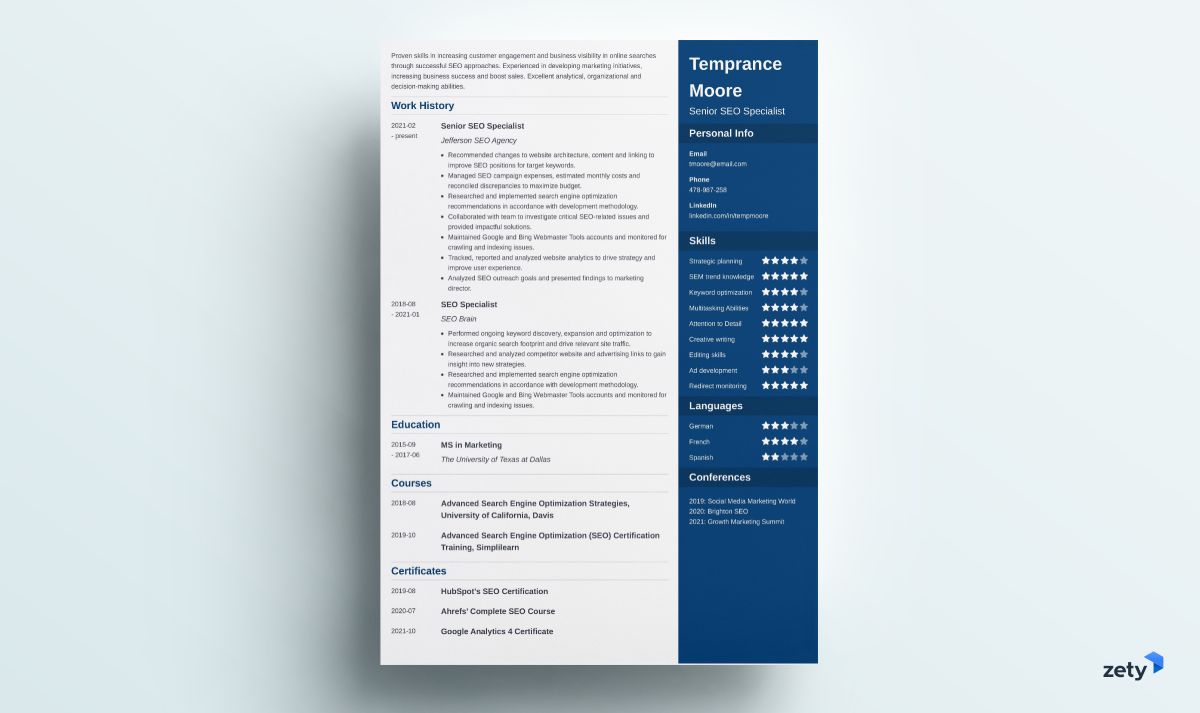
Whether you’re working in a traditional or creative role doesn’t matter. This is one of our resume templates for Microsoft Word that will work great in every imaginable scenario. The resume summary area at the top will help the recruiter quickly learn your stronger traits.
Iconic
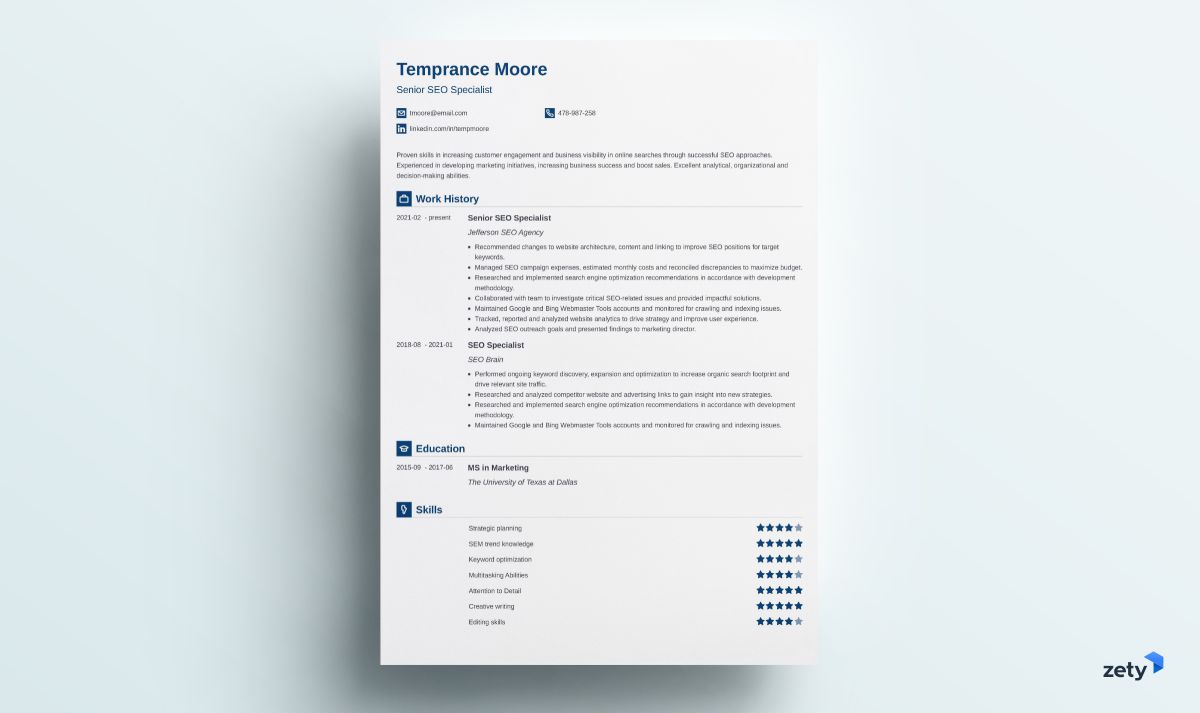
This resume template is very easy to scan, and as such, it’s suitable for anyone pursuing a corporate position that attracts numerous candidates. The resume header, which is easy on the eye, will let the recruiters quickly see your great hire potential.
Influx
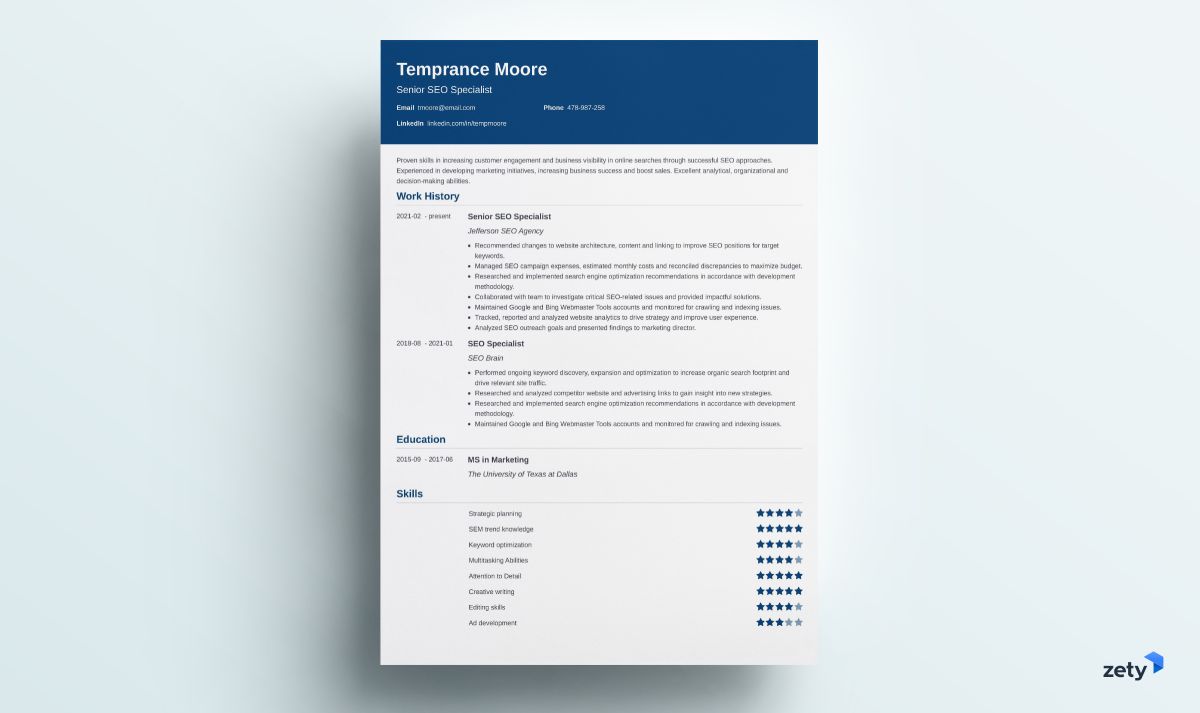
This modern-looking and elegant Microsoft Word resume template is a good choice for a managerial resume in more traditional industries. Its one-column layout is perfect for including a longer description of your work experience.
Minimo
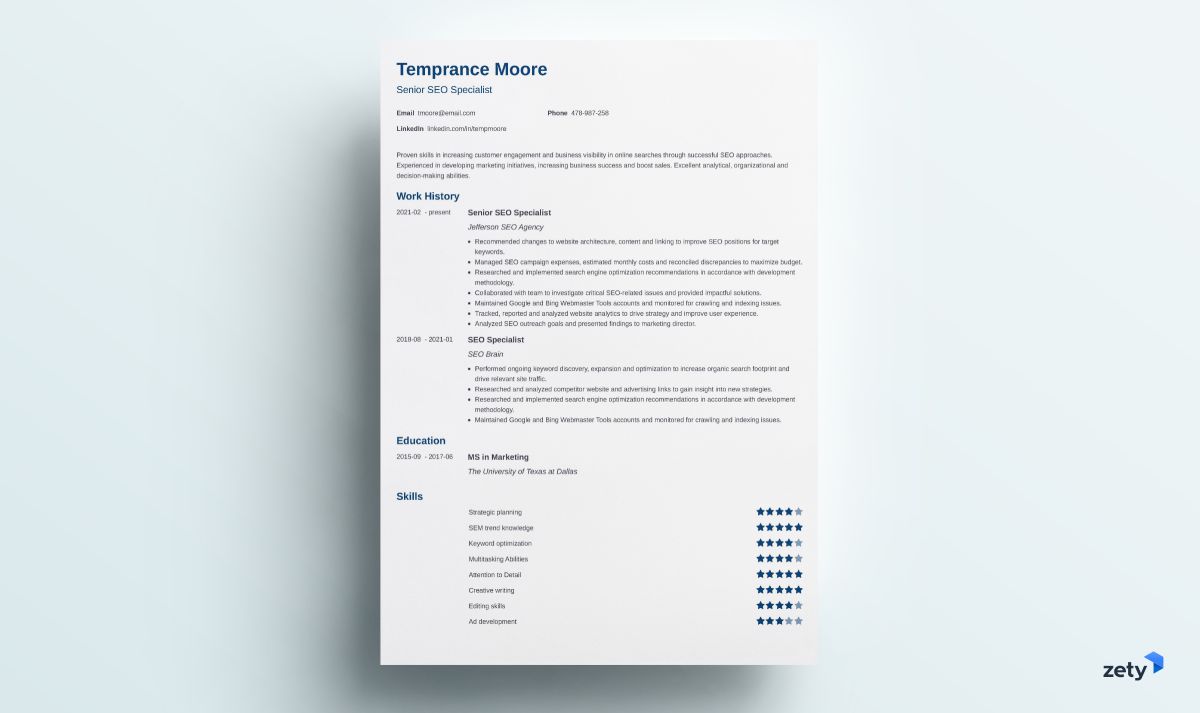
This minimalistic resume template will be just as suitable for an academic CV as a more formal executive resume. It’s predominantly focused on the content, with a subtle addition of bar graphs to illustrate your proficiency in various skills.
Modern
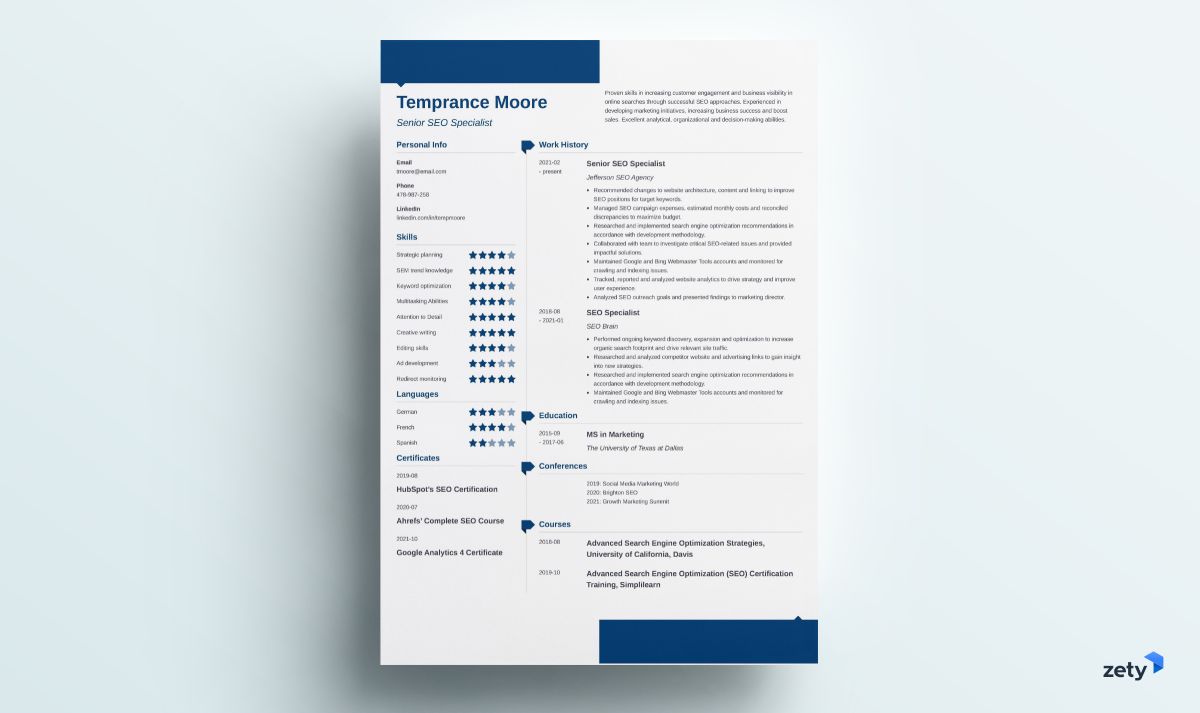
This modern resume template includes visual elements that make it stand out from the rest and yet don’t distract the reader from the document’s content. Thanks to its two-column layout, it can hold much information without looking cluttered.
Initials
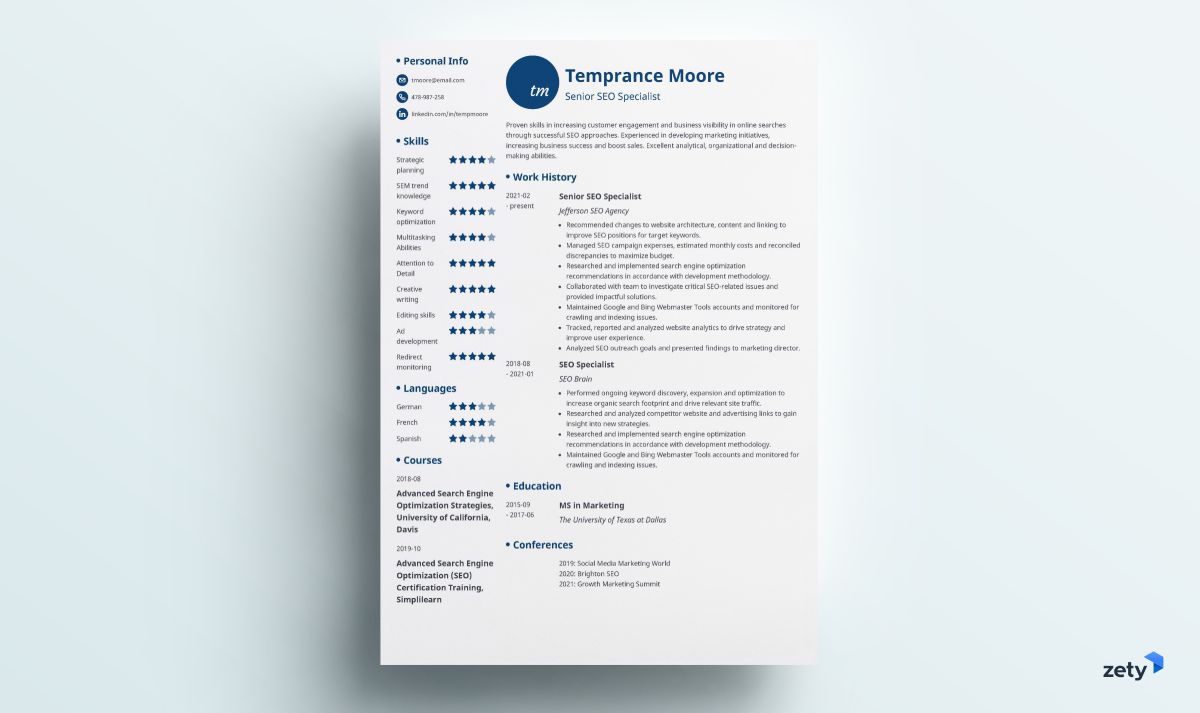
The visual addition of your initials makes this Word template for a resume look different from the rest. The template also incorporates a skill grading scale and a set of icons to make your abilities and contact details clearly visible.
Muse
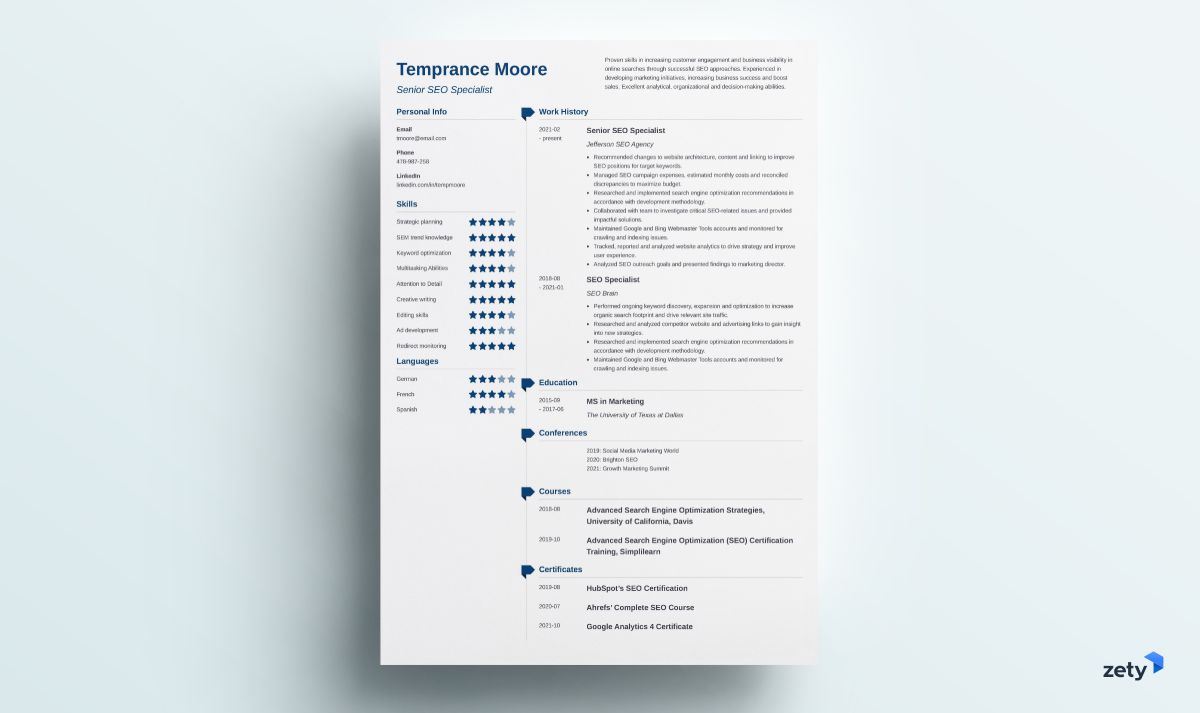
This resume template blends professionalism and simplicity. The section titles are accentuated with small ribbon-shaped icons right next to them. This design emphasizes the header, so it’s worth creating an effective resume summary or a career objective!
Nanica
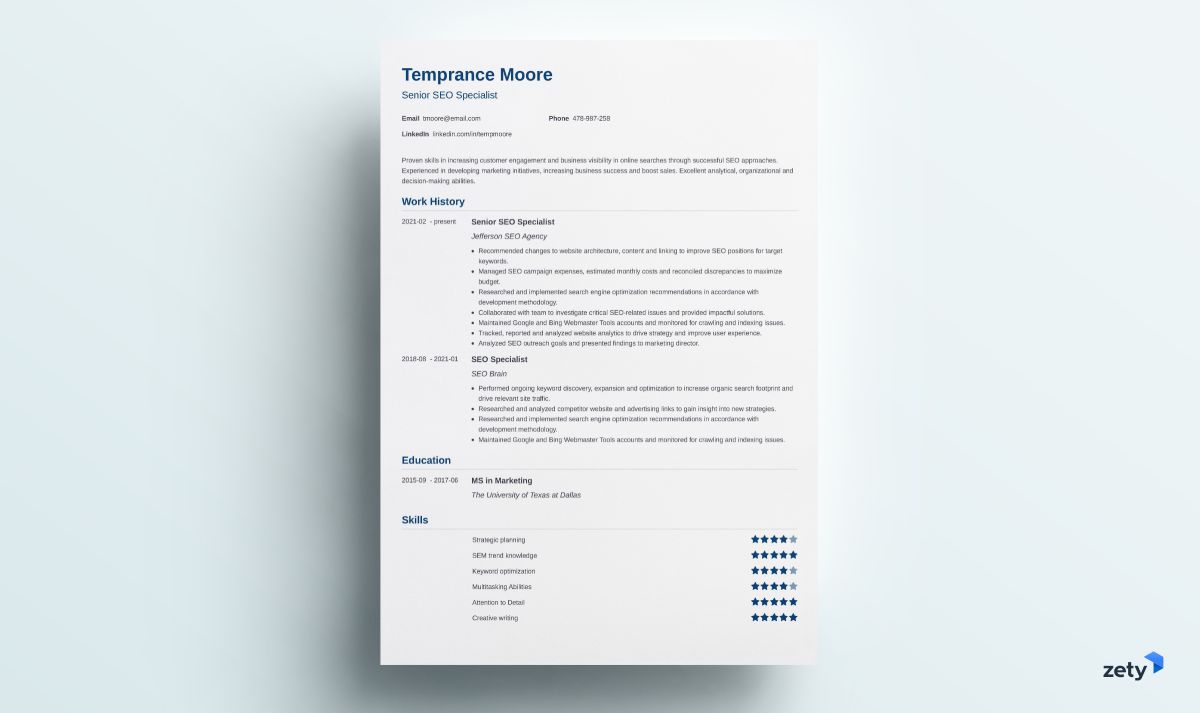
Nanica is one of our resume templates for Microsoft Word that’s perfect for a two-page resume or an academic CV. Thanks to its simple formatting, the resume sections can smoothly extend into page two and beyond if necessary.
Primo
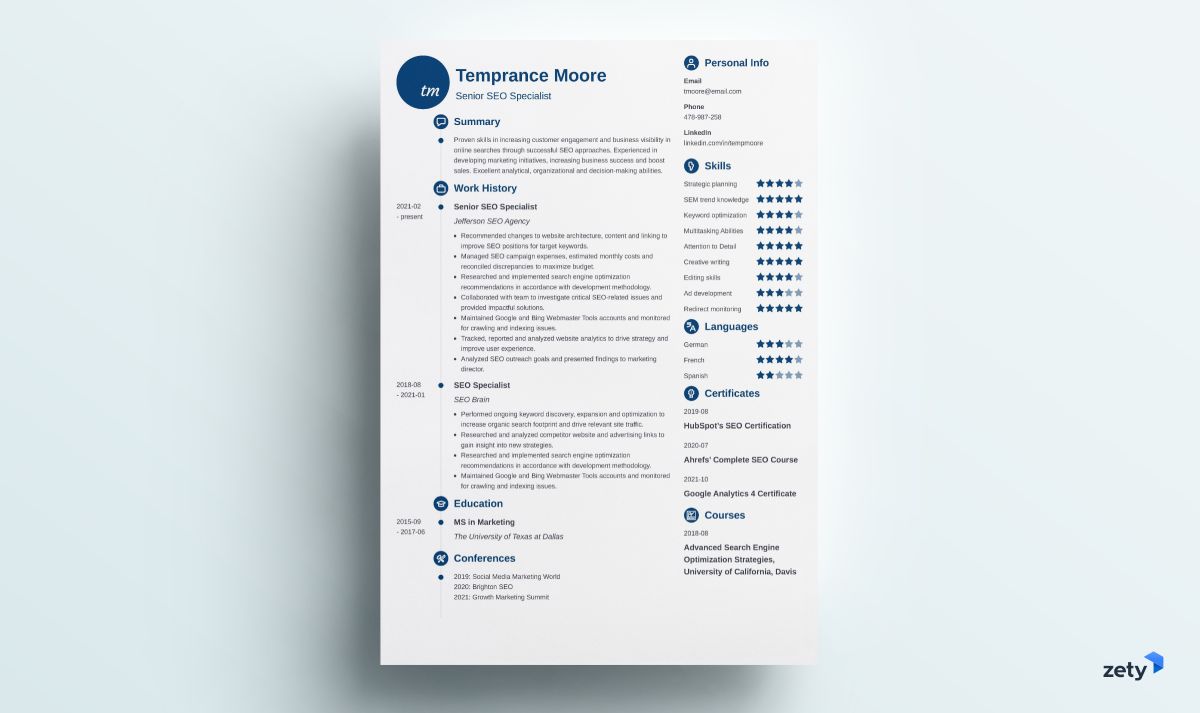
This Word .doc resume template has a two-column layout that lets you include all your relevant experience and key skills. You’ll still have plenty of room to add extra resume information, such as computer skills or language proficiency.
When making a resume in our builder, drag & drop bullet points, skills, and auto-fill the boring stuff. Spell check? Check. Start building a professional resume template here for free.
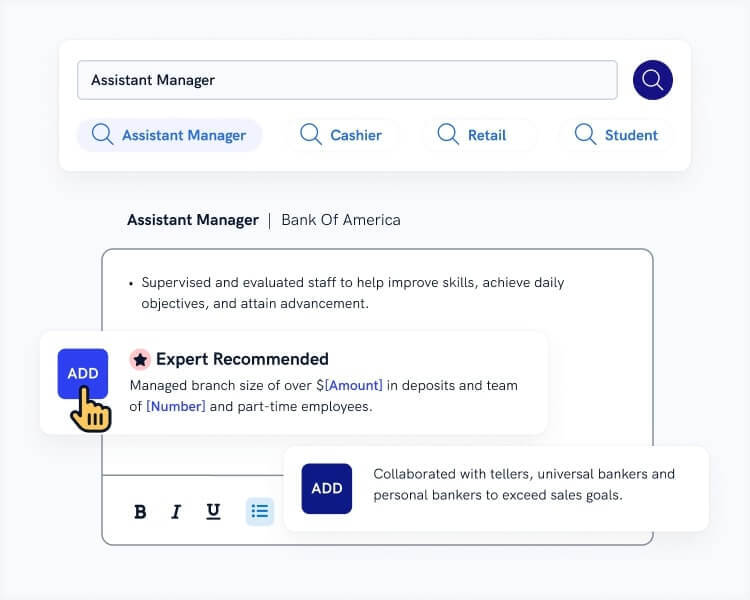
When you’re done, Zety’s resume builder will score your resume and tell you exactly how to make it better.
Newcast
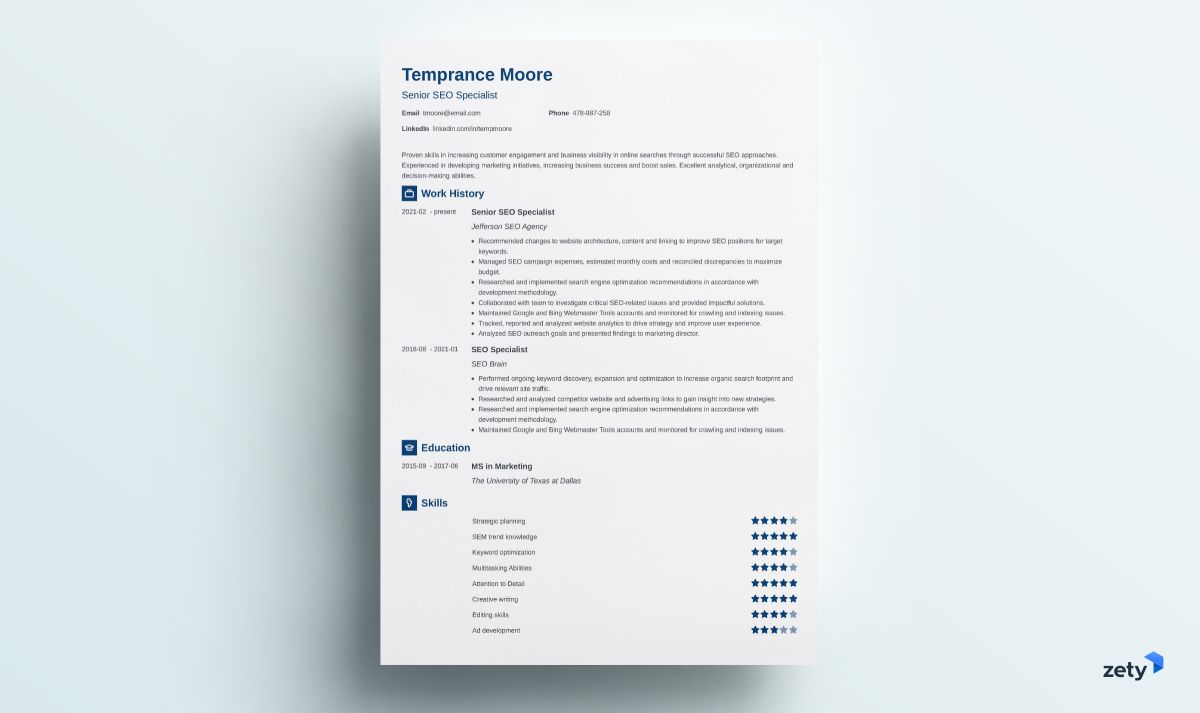
Another one of our professional resume templates for Word that’s perfect for a longer document. It’s suitable for seasoned executives and distinguished academics alike.
Simple
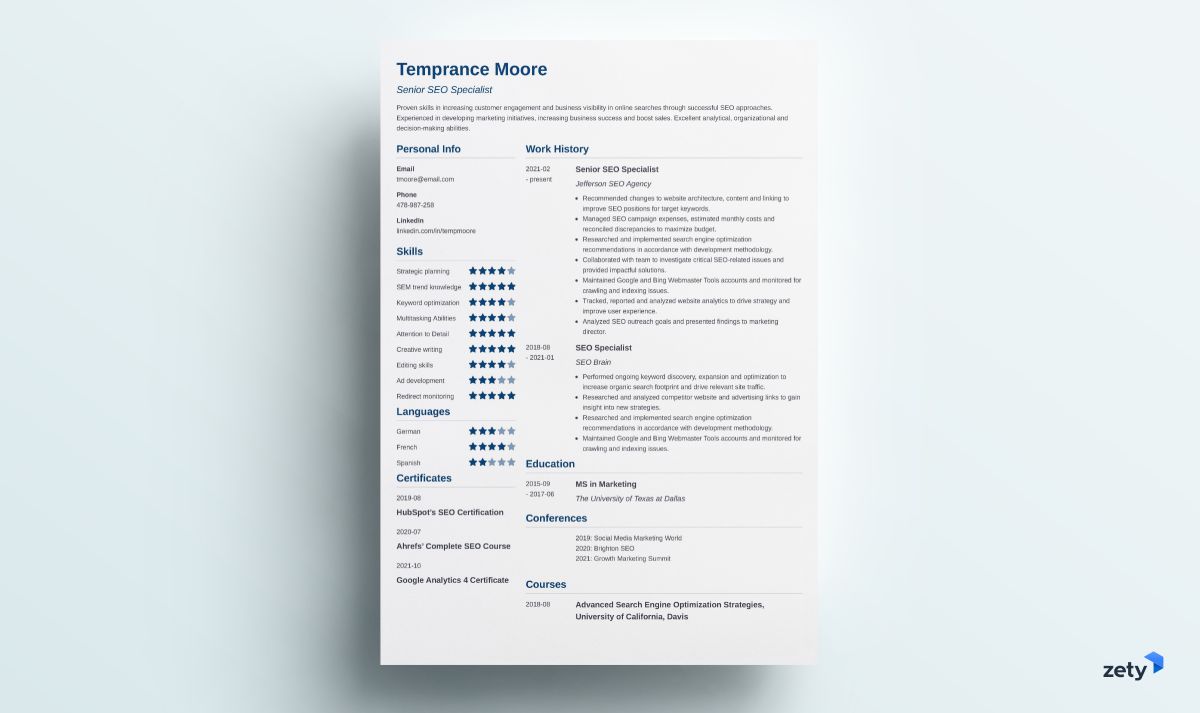
Thanks to its two-column layout, this simple resume template for Word is perfect for experienced candidates who want to present their professional side on a single page.
Valera
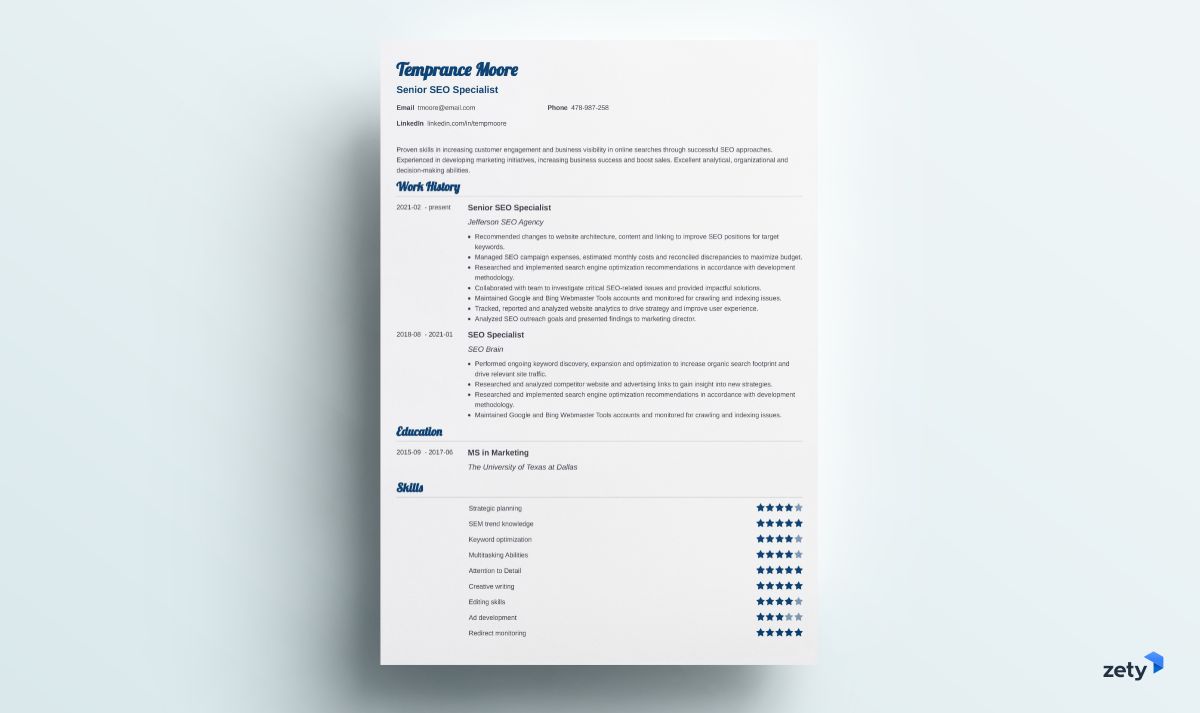
Valera is a creative resume template for Word that combines youthful energy with pure professionalism. Also, it’s perfectly usable as a two-page resume template.
Vibes
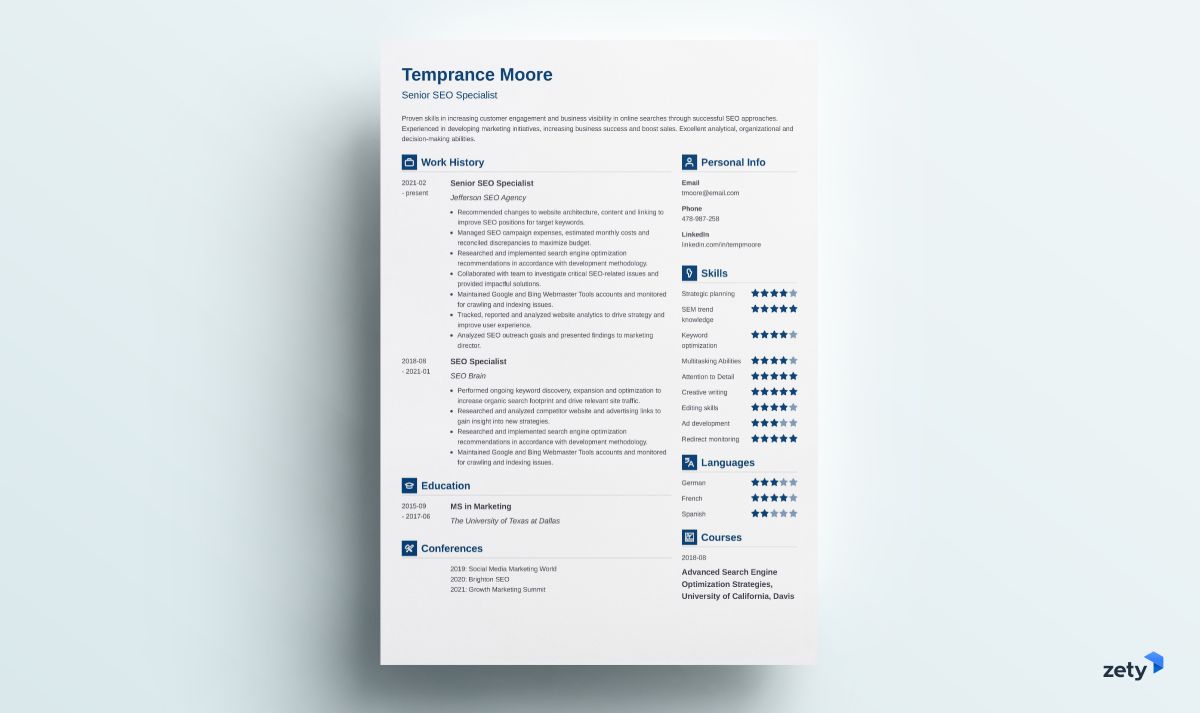
This resume template for Word mixes simplicity with modernity. The icons draw the recruiter’s eye right to the section titles, and the white space gives it an elegant, professional look.
Cascade
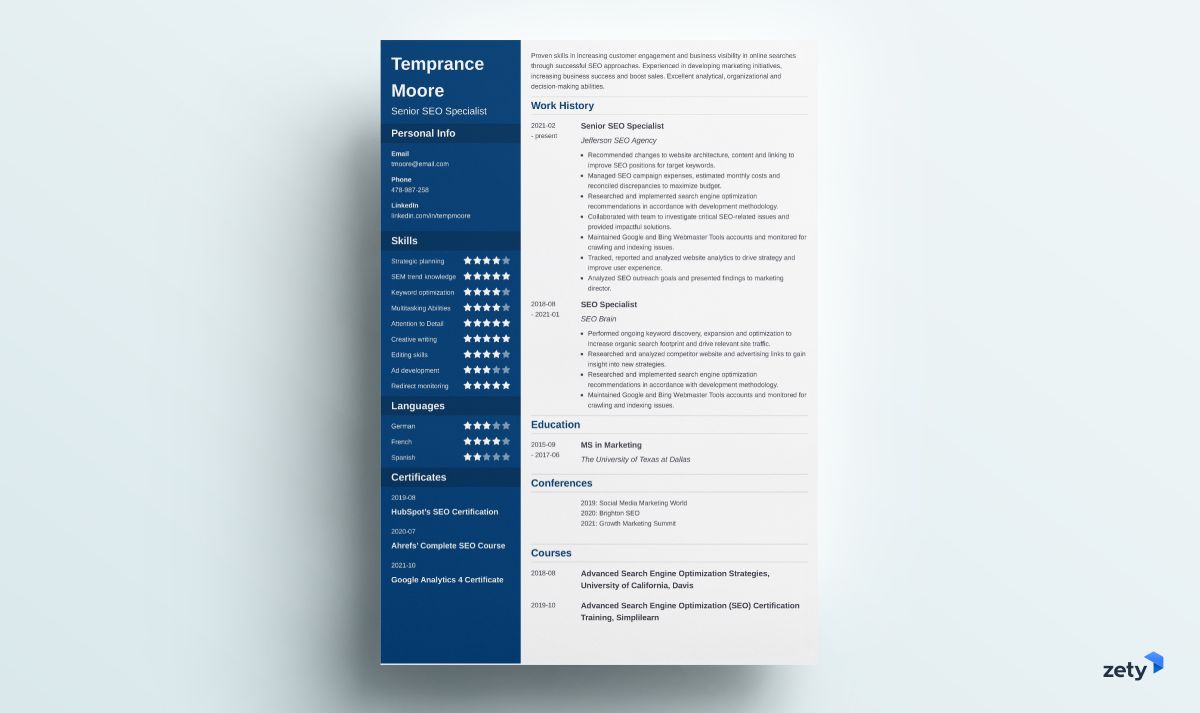
Cascade is a very universal resume template for Word. It’s suitable for entry-level candidates and executives alike. Its two-column layout will let you include a lot of information without cluttering the document.
And that was the last one of them.
Use one of the above templates to create your own resume. And once you finish, download the document as a Word file. The result? Great-looking, immaculately formatted, and still editable resume.
Now, if you still want to see what Microsoft Word offers, there you have it.
12 Free Resume Templates for Word
See a collection of twelve resume templates for Word that are suitable for most professional positions:
1. Resume (Color)
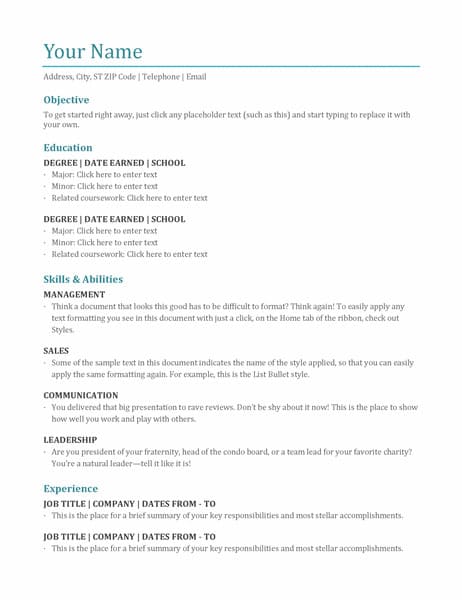
This minimalist Word resume template emphasizes the candidate’s education and skills. It’s best for individuals who prefer the functional resume format. The subtle addition of color makes this template stand out from classic black-and-white designs.
Download it here.
2. Polished Resume by MOO
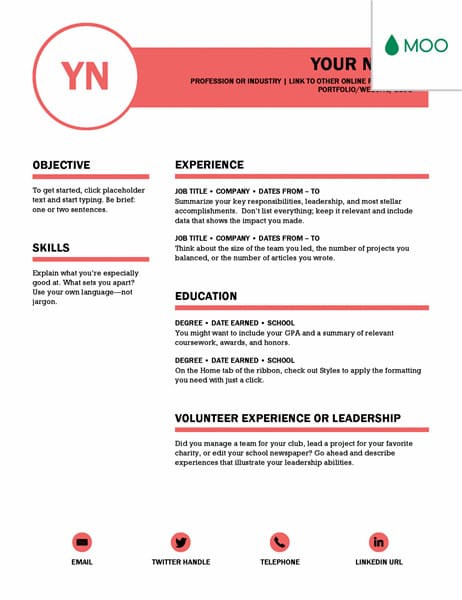
Bored of classic designs? This modern resume template for Word includes a bold choice of color and a dramatic contrast of white space and text. It’s perfect for confident job applicants.
Download it here.
3. Rose Suite Resume
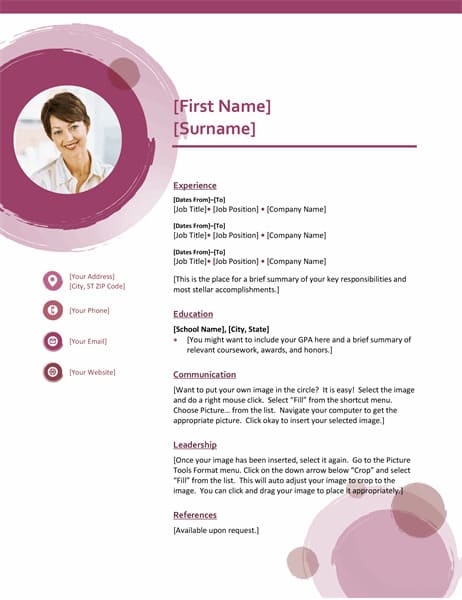
Need a creative resume template that you can format in Word with additional space for your headshot? This one is an excellent choice to make you stand out from the crowd. Show your artistic side along with your qualifications.
Download it here.
4. Chronological Resume (Simple Design)
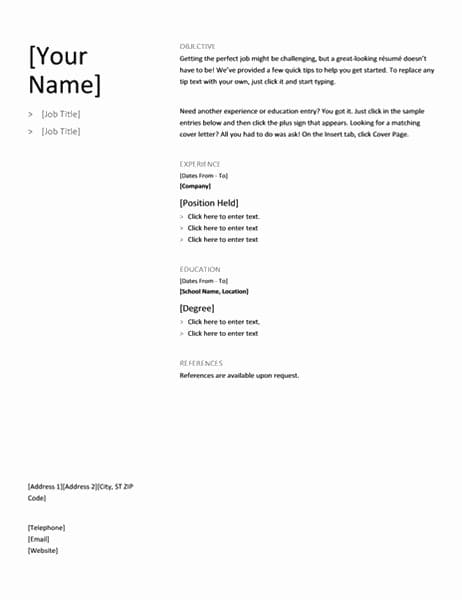
Simple doesn’t equal basic. This resume template for Word proves that. It’s a black-and-white design that uses capital letters to highlight the resume sections. A great choice for candidates who want their work experience to speak for itself.
Download it here.
5. Bold Monogram Resume
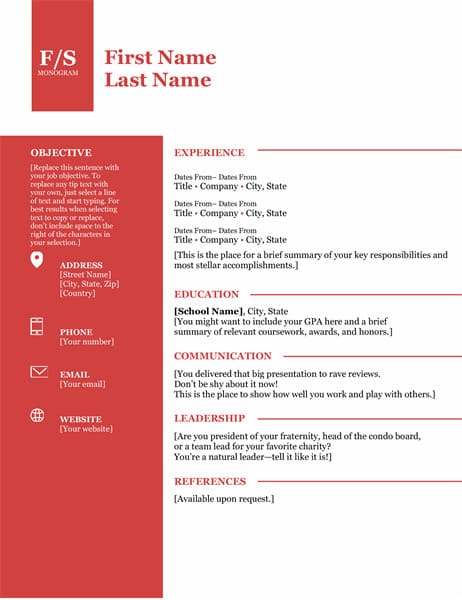
Want to make a bold statement with your resume? This is a great choice. Color blocks immediately catch the reader’s attention, and the monogram header will make them remember your name.
Download it here.
6. Sticky Note Resume
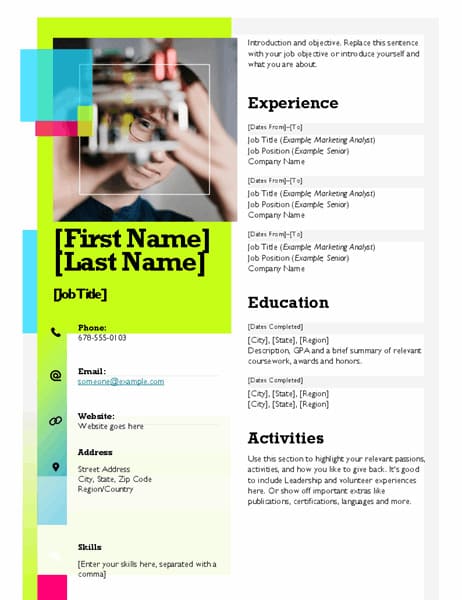
If black-and-white Word resume templates make you yawn, this can be a great choice. This unique design features multiple colors and a space for your headshot.
Download it here.
7. Balanced Resume (Modern Design)
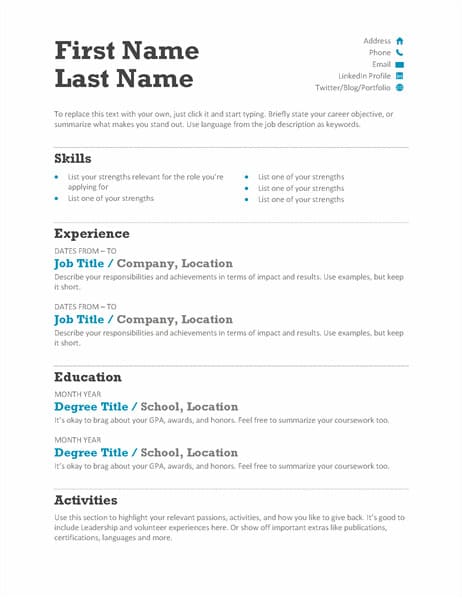
This Word resume template allows you to show professionalism without appearing dull. The perfect balance of white space and text, the subtle addition of colors, and the mini icons make this design very pleasant to look at. It’s a good choice for candidates who prefer the combination resume format.
Download it here.
8. Basic Modern Resume
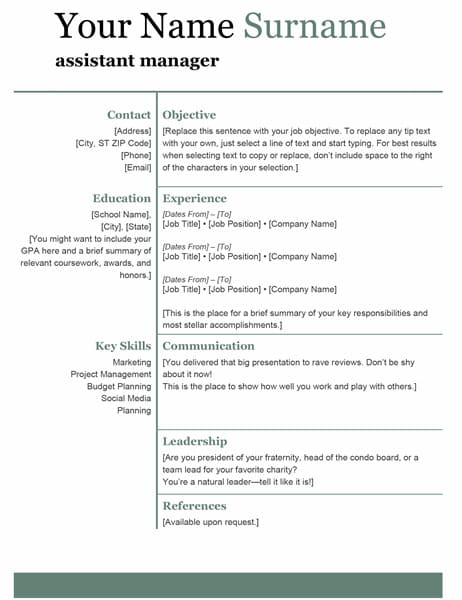
This classy design fits any profession. It’s a great one-page resume template for Word, suitable for job applicants who don’t want flashy colors to overshadow their qualifications.
Download it here.
9. Crisp and Clean Resume by MOO
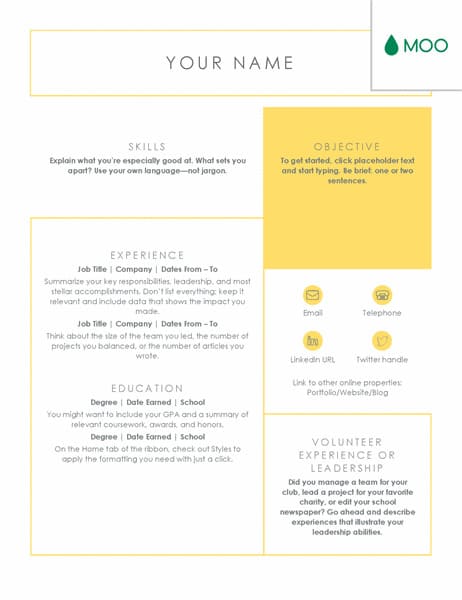
If you’re a fan of modern design and infographic resumes, this Word resume template can match your taste. The bright colors of this template evoke positive emotions and provide a great backdrop for your qualifications.
Download it here.
10. Contemporary Resume
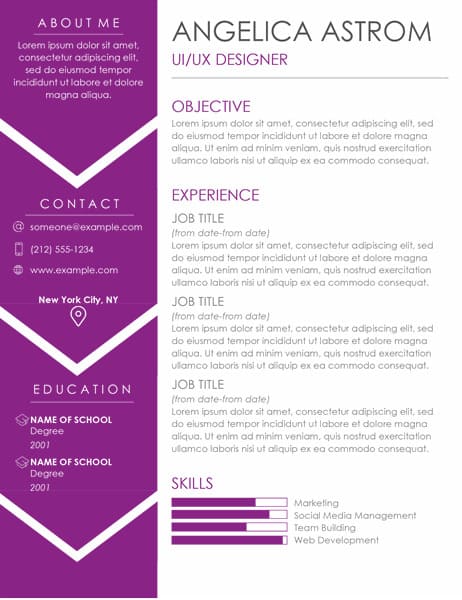
Do you believe that modern problems require modern solutions? Then this is the perfect Word resume template for you. It has a contemporary look thanks to a bold addition of color, the progress bars in the skill sections, and minimalist icons. Yet, it still follows the preferred reverse-chronological resume format.
Download it here.
11. Columns Resume
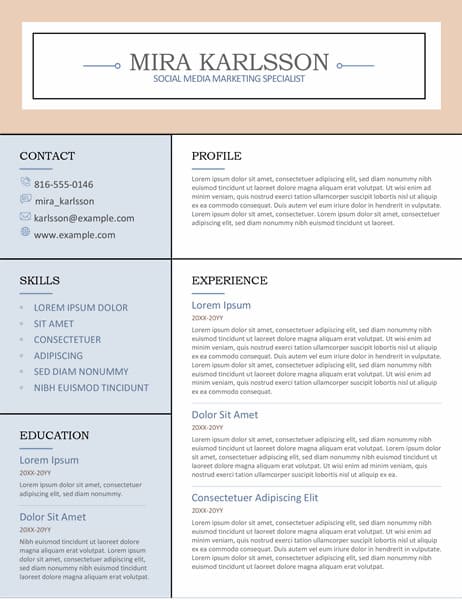
This resume template for Word uses a grid design to organize all information neatly. Thanks to capitalized headings, each section is clearly separated and easy to spot. A great choice for job applications that value orderliness.
Download it here.
12. Creative Resume by MOO
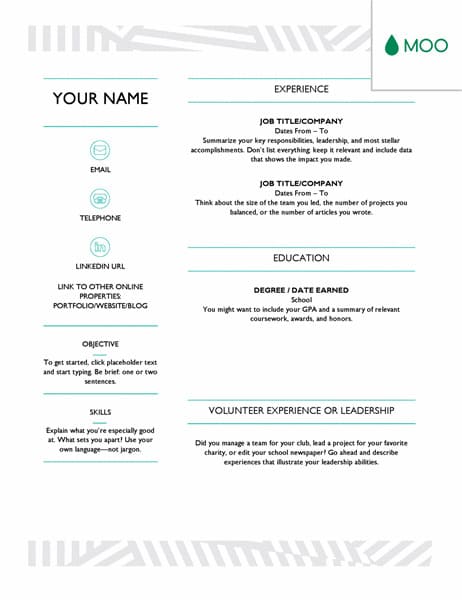
Are you a creative person? Then this resume template for Word can be a good fit for you. It stands out from the rest, thanks to modern resume icons and the visually appealing header and footer.
Download it here.
Need to see more resume templates before making your decision? Check here:
- Best Resume Template
- Apple Pages Template
- Google Docs Resume Template
- Blank Resume Template
- Cool Resume Template
- Simple Resume Template
- 20+ Resume Layouts
Plus, a great cover letter that matches your resume will give you an advantage over other candidates. You can write it in our cover letter builder here. Here’s what it may look like:
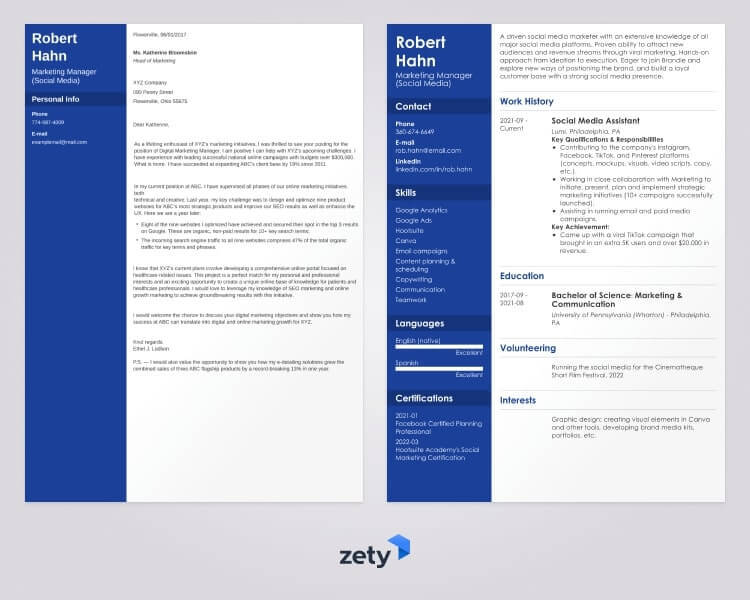
See more cover letter templates and start writing.
This is it! How do you like our selection of resume templates for Word? Would you like to share your opinion with us? Leave us a comment below! We’re always happy to hear from you.